Apache Camel is an open source integration framework that allows you to integrate technologically diverse systems using a large library of components. A common use-case is to service HTTP based endpoints. Those of course come in several flavors and there is quite a choice in components to use.
In this blog post I'll take a look at what is available and how they differ with respect to flexibility to define multiple hosts, ports and URLs to host from using a single CamelContext. Depending on your use-case you will probably be using one of these. You can find my sample project here.
Articles containing tips, tricks and nice to knows related to IT stuff I find interesting. Also serves as online memory.
Showing posts with label component. Show all posts
Monday, December 23, 2019
Saturday, March 16, 2013
Generating Oracle SOA configuration plans; XML manipulation in Ant using XMLTask
Configuration plans can be used for making Oracle SOA deployments specific to an environment. Writing deployment plans can be cumbersome. Especially replacing endpoints of every called service for a newly generated process for every environment is repetitive work and error prone. Also updating the configuration plan when changes occur is often forgotten. A solution for this can be to use a generic configuration plan such as described on; http://javaoraclesoa.blogspot.nl/2013/01/generic-configuration-plan-for-soa.html. This generic plan however is very generic and it will replace endpoints in all files in the project. This might not be what you want. In this post I describe another solution. Generating a configuration plan using the Oracle supplied Ant scripts and then using an Ant script to rewrite it to become specific based on a simple configuration file. This also illustrates how XML manipulations can be done by using xmltask (http://www.oopsconsultancy.com/software/xmltask/) in Ant.
The below explanation of how I've created this might seem complicated. If you just want the tool, you can download a complete working example (which requires little configuration) here; https://dl.dropbox.com/u/6693935/blog/GenConfigPlan.zip. All you have to do to get this working is replace the ORACLE_HOME variable, create a build.properties file for your environments and you're ready to go.
Implementation
build.properties
I've used a build.properties as follows;
envs=dev,prd
replacesets=first,second
first.dev.url=http://192.168.1.1:7001
first.prd.url=http://192.168.1.2:7001
second.dev.url=http://192.168.2.1:8080
second.prd.url=http://192.168.2.2:8080
This properties file specifies both my environments, development (dev) and production (prd). In my environment I have two sets of endpoints to be replaced. My first set (called conveniently 'first') and my second set (second). 'first' can represent for example the Oracle SOA server URL to be replaced and second can be an external service which has references which differ across the environments and thus for which URL's also need to be replaced.
Batch script to start Ant
I've used the following batch script to start the Ant script;
REM Location of Middleware home
set ORACLE_HOME=D:\Oracle\Middleware11116
set ANT_HOME=%ORACLE_HOME%\jdeveloper\ant
set PATH=%ANT_HOME%\bin;%PATH%
set JAVA_HOME=%ORACLE_HOME%\jdk160_24
set CURRENT_FOLDER=%CD%
ant -f genConfigPlan.xml -Dbasedir=%ORACLE_HOME%\jdeveloper\bin -DcompositeDir=%1
The parameter compositeDir specifies the path below which the composite.xml exists and where the new configuration plans need to be created
The batch file can for example be called like;
genConfigPlan.bat D:\dev\HelloWorld\HelloWorldCaller
Where HelloWorldCaller directory is the location of the project which contains the composite.xml. This example is also used in the 'Results' section
Ant script
I've created an Ant build file. This calls the ant-sca-compile script (http://docs.oracle.com/cd/E14571_01/integration.1111/e10224/sca_lifecycle.htm) to generate a default configuration plan. Then I use properties from my configuration file and do replacements for every environment in the generated configuration plan.
Below is the complete Ant script I've used. I will explain the most important parts.
<?xml version="1.0" encoding="iso-8859-1"?>
<project name="soaGenConfigPlan" default="build">
<property environment="env"/>
<property file="${env.CURRENT_FOLDER}/build.properties"/>
<taskdef name="xmltask" classname="com.oopsconsultancy.xmltask.ant.XmlTask">
<classpath>
<pathelement path="${env.CURRENT_FOLDER}/lib/xmltask.jar"/>
<pathelement path="${env.CURRENT_FOLDER}/lib/xalan.jar"/>
</classpath>
</taskdef>
<taskdef resource="net/sf/antcontrib/antcontrib.properties">
<classpath>
<pathelement location="${env.ORACLE_HOME}/modules/net.sf.antcontrib_1.1.0.0_1-0b2/lib/ant-contrib.jar"/>
</classpath>
</taskdef>
<import file="${basedir}/ant-sca-compile.xml"/>
<target name="genenvconfigplan">
<echo>Build environment: ${buildenv}</echo>
<property name="configplan_out" value="${compositename}_cfgplan_${buildenv}.xml"/>
<echo>Target configplan name: ${configplan_out}</echo>
<copy file="${compositeDir}/plantemplate.xml" tofile="${compositeDir}/${configplan_out}"/>
<foreach list="${replacesets}" target="replaceset" param="replaceset" inheritall="true" inheritrefs="false" delimiter=","/>
</target>
<target name="replaceset">
<echo message="Processing replacementset: ${replaceset}"/>
<propertycopy name="devurl" from="${replaceset}.dev.url"/>
<propertycopy name="replacewithurl" from="${replaceset}.${buildenv}.url"/>
<echo message="dev URL: ${devurl}"/>
<echo message="${buildenv} URL: ${replacewithurl}"/>
<xmltask source="${compositeDir}/${configplan_out}" destbuffer="myMsg"/>
<xmltask sourcebuffer="myMsg" destBuffer="myMsg">
<insert path="/*[local-name() = 'SOAConfigPlan']/*[local-name() = 'composite']/*[local-name() = 'import']/*[local-name() = 'searchReplace' and position()=1]" position="after"><![CDATA[<searchReplace xmlns="http://schemas.oracle.com/soa/configplan"><search>${devurl}</search><replace>${replacewithurl}</replace></searchReplace>]]></insert>
<remove path="/*[local-name() = 'SOAConfigPlan']/*[local-name() = 'composite']/*[local-name() = 'import']/*[local-name() = 'searchReplace' and string-length(*[local-name() = 'search']/text())=0]"/>
<insert path="/*[local-name() = 'SOAConfigPlan']/*[local-name() = 'wsdlAndSchema']/*[local-name() = 'searchReplace' and position()=1]" position="after"><![CDATA[<searchReplace xmlns="http://schemas.oracle.com/soa/configplan"><search>${devurl}</search><replace>${replacewithurl}</replace></searchReplace>]]></insert>
<remove path="/*[local-name() = 'SOAConfigPlan']/*[local-name() = 'wsdlAndSchema']/*[local-name() = 'searchReplace' and string-length(*[local-name() = 'search']/text())=0]"/>
<copy path="/*[local-name() = 'SOAConfigPlan']/*[local-name() = 'composite']" buffer="myMsgTmp"/>
<call path="/*[local-name() = 'SOAConfigPlan']/*[local-name() = 'composite']/*[local-name() = 'reference']">
<param name="name" path="@name"/>
<actions>
<echo>Found a reference: @{name}</echo>
<xmltask sourcebuffer="myMsgTmp" destbuffer="myMsgTmp">
<regexp path="/*[local-name() = 'composite']/*[local-name() = 'reference' and @name='@{name}']/*[local-name() = 'binding' and @type='ws']/*[local-name() = 'attribute' and @name='location']/*[local-name() = 'replace']/text()" pattern="(.*)${devurl}(.*)" replace="$1${replacewithurl}$2"/>
<regexp path="/*[local-name() = 'composite']/*[local-name() = 'reference' and @name='@{name}']/*[local-name() = 'binding' and @type='ws']/*[local-name() = 'property' and @name='endpointURI']/*[local-name() = 'replace']/text()" pattern="(.*)${devurl}(.*)" replace="$1${replacewithurl}$2"/>
</xmltask>
</actions>
</call>
<replace path="/*[local-name() = 'SOAConfigPlan']/*[local-name() = 'composite']" withBuffer="myMsgTmp"/>
</xmltask>
<xmltask sourcebuffer='myMsg' dest="${compositeDir}/${configplan_out}"/>
</target>
<target name="build">
<echo>current folder ${env.CURRENT_FOLDER}</echo>
<property file="${env.CURRENT_FOLDER}/build.properties"/>
<input message="Please enter composite directory:" addproperty="compositeDir"/>
<antcall target="generateplan">
<param name="scac.input" value="${compositeDir}/composite.xml"/>
<param name="scac.plan" value="${compositeDir}/plantemplate.xml"/>
</antcall>
<xmltask source="${compositeDir}/composite.xml">
<copy path="/*[local-name() = 'composite']/@name" property="compositename" attrValue="true"/>
</xmltask>
<echo message="Composite name: ${compositename}"/>
<foreach list="${envs}" param="buildenv" target="genenvconfigplan" inheritall="true" inheritrefs="true" delimiter=","/>
<delete file="${compositeDir}/plantemplate.xml"/>
</target>
</project>
The default target is 'build'. First it generates a default configuration plan (plantemplate.xml in the below sample) based on the composite.xml from a supplied location;
<antcall target="generateplan">
<param name="scac.input" value="${compositeDir}/composite.xml"/>
<param name="scac.plan" value="${compositeDir}/plantemplate.xml"/>
</antcall>
Then for every environment (from the properties file build.properties). It calls the target 'genenvconfigplan'. This target generates a configuration plan specific to an environment. This target calls for every replaceset from the build.properties the target 'replaceset'. This allows multiple sets of URL's to be replaced. This target performs the actual replacement by using the xmltask.
xmltask
The top part of the Ant build file is for expanding the classpath in order to include the xmltask Java libraries (see: http://stackoverflow.com/questions/11633308/xmltask-in-java-1-7). Also the Ant task is made known to the script.
<taskdef name="xmltask" classname="com.oopsconsultancy.xmltask.ant.XmlTask">
<classpath>
<pathelement path="${env.CURRENT_FOLDER}/lib/xmltask.jar"/>
<pathelement path="${env.CURRENT_FOLDER}/lib/xalan.jar"/>
</classpath>
</taskdef>
First it inserts a new entry at /SOAConfigPlan/wsdlAndSchema/searchReplace and removes the old empty one. Then it does the same for /SOAConfigPlan/wsdlAndSchema/searchReplace.
<insert path="/*[local-name() = 'SOAConfigPlan']/*[local-name() = 'composite']/*[local-name() = 'import']/*[local-name() = 'searchReplace' and last()]" position="after"><![CDATA[<searchReplace xmlns="http://schemas.oracle.com/soa/configplan"><search>${devurl}</search><replace>${replacewithurl}</replace></searchReplace>]]></insert>
<remove path="/*[local-name() = 'SOAConfigPlan']/*[local-name() = 'composite']/*[local-name() = 'import']/*[local-name() = 'searchReplace' and string-length(*[local-name() = 'search']/text())=0]"/>
Because of namespace issues I use the local-name() XPATH function to get to the correct path. See for example; http://stackoverflow.com/questions/9381512/xmlpath-from-ant-using-xmltasks-cant-match-if-xml-file-has-elements-in-differen. When I use the 'insert' action and specify a namespace which is a default namespace in the target, the namespace reference get's removed in the resulting XML which is nice.
Replacing the location attribute and endpointURI property in the reference part of the configuration plan was harder. I needed a loop construction here so I could process every reference entry individually. The method I found to achieve this was by using the xmltask 'call' action. Properties in Ant can be set only once, which makes working with them somewhat difficult. xmltask provides an alternative; buffers. Here I encountered some difficulties to process parts of the message. When using xmltask call action, the buffer used inside a called Ant target will be out of scope in the parent process. When using an embedded <actions/> section, the buffer won't be out of scope! So I used the embedded <actions/> section to achieve successful replacement. I've also used a parameter (@{name} in the below sniplet) to be able to select the correct reference node to do the replacement in.
<call path="/*[local-name() = 'SOAConfigPlan']/*[local-name() = 'composite']/*[local-name() = 'reference']">
<param name="name" path="@name"/>
<actions>
<echo>Found a reference: @{name}</echo>
<xmltask sourcebuffer="myMsgTmp" destbuffer="myMsgTmp">
<regexp path="/*[local-name() = 'composite']/*[local-name() = 'reference' and @name='@{name}']/*[local-name() = 'binding' and @type='ws']/*[local-name() = 'attribute' and @name='location']/*[local-name() = 'replace']/text()" pattern="(.*)${devurl}(.*)" replace="$1${replacewithurl}$2"/>
<regexp path="/*[local-name() = 'composite']/*[local-name() = 'reference' and @name='@{name}']/*[local-name() = 'binding' and @type='ws']/*[local-name() = 'property' and @name='endpointURI']/*[local-name() = 'replace']/text()" pattern="(.*)${devurl}(.*)" replace="$1${replacewithurl}$2"/>
</xmltask>
</actions>
</call>
As can be seen in the above sample I used the regular expression call to do the actual replacement. This way URL's like http://192.168.2.1:8080/webapp/services/mysuperservice would also get replaced properly.
The complete code can be downloaded here; https://dl.dropbox.com/u/6693935/blog/GenConfigPlan.zip
Result
In the below sniplets I've removed the generated comments for brevity. I've created a synchronous hello world process (HelloWorld) and a synchronous process to call this hello world process (HelloWorldCaller). The default generated configuration plan for HelloWorldCaller is as follows;
<?xml version="1.0" encoding="UTF-8"?>
<SOAConfigPlan xmlns:jca="http://platform.integration.oracle/blocks/adapter/fw/metadata" xmlns:wsp="http://schemas.xmlsoap.org/ws/2004/09/policy" xmlns:orawsp="http://schemas.oracle.com/ws/2006/01/policy" xmlns:edl="http://schemas.oracle.com/events/edl" xmlns="http://schemas.oracle.com/soa/configplan">
<composite name="HelloWorldCaller">
<import>
<searchReplace>
<search/>
<replace/>
</searchReplace>
</import>
<service name="helloworldcaller_client_ep">
<binding type="ws">
<attribute name="port">
<replace>http://xmlns.oracle.com/HelloWorld/HelloWorldCaller/HelloWorldCaller#wsdl.endpoint(helloworldcaller_client_ep/HelloWorldCaller_pt)</replace>
</attribute>
</binding>
</service>
<component name="HelloWorldCaller">
<property name="bpel.config.transaction">
<replace>required</replace>
</property>
</component>
<reference name="Service1">
<binding type="ws">
<attribute name="port">
<replace>http://xmlns.oracle.com/HelloWorld/HelloWorld/HelloWorld#wsdl.endpoint(helloworld_client_ep/HelloWorld_pt)</replace>
</attribute>
<attribute name="location">
<replace>http://192.168.1.1:7001/soa-infra/services/default/HelloWorld/helloworld_client_ep?WSDL</replace>
</attribute>
<property name="weblogic.wsee.wsat.transaction.flowOption">
<replace>WSDLDriven</replace>
</property>
</binding>
</reference>
</composite>
<wsdlAndSchema name="HelloWorld.wsdl|HelloWorldCaller.wsdl|xsd/HelloWorld.xsd|xsd/HelloWorldCaller.xsd">
<searchReplace>
<search/>
<replace/>
</searchReplace>
</wsdlAndSchema>
</SOAConfigPlan>
This plan is not directly usuable since nothing is replaced. To avoid manually creating a configuration plan for my production environment, I've used the Ant script explained in this post with the mentioned build.properties.
In the below script output you can see all replacement sets are used (first and second) for all environments (dev and prd) and all references (1 in this case).
----------------------------------------------------
Buildfile: genConfigPlan.xml
build:
[echo] current folder D:\dev\GenConfigPlan
[input] skipping input as property compositeDir has already been set.
generateplan:
[input] skipping input as property scac.input has already been set.
[input] skipping input as property scac.plan has already been set.
[generateplan] Loading Composite file d:\dev\HelloWorld\HelloWorldCaller\composite.xml
[generateplan] Composite loaded
[generateplan] Done generation of soa config plan.
[generateplan] Write soa config plan to file d:\dev\HelloWorld\HelloWorldCaller/plantemplate.xml
[generateplan] Generate plan successful
[echo] Composite name: HelloWorldCaller
genenvconfigplan:
[echo] Build environment: dev
[echo] Target configplan name: HelloWorldCaller_cfgplan_dev.xml
[copy] Copying 1 file to d:\dev\HelloWorld\HelloWorldCaller
replaceset:
[echo] Processing replacementset: first
[echo] dev URL: http://192.168.1.1:7001
[echo] dev URL: http://192.168.1.1:7001
[echo] Found a reference: Service1
replaceset:
[echo] Processing replacementset: second
[echo] dev URL: http://192.168.2.1:8080
[echo] dev URL: http://192.168.2.1:8080
[echo] Found a reference: Service1
genenvconfigplan:
[echo] Build environment: prd
[echo] Target configplan name: HelloWorldCaller_cfgplan_prd.xml
[copy] Copying 1 file to d:\dev\HelloWorld\HelloWorldCaller
replaceset:
[echo] Processing replacementset: first
[echo] dev URL: http://192.168.1.1:7001
[echo] prd URL: http://192.168.1.2:7001
[echo] Found a reference: Service1
replaceset:
[echo] Processing replacementset: second
[echo] dev URL: http://192.168.2.1:8080
[echo] prd URL: http://192.168.2.2:8080
[echo] Found a reference: Service1
[delete] Deleting: d:\dev\HelloWorld\HelloWorldCaller\plantemplate.xml
BUILD SUCCESSFUL
Total time: 2 seconds
After I ran the Ant script I get two configuration plans. One for the development environment and one for the production environment. Below is the one for the production environment. In bold indicated which portions are added/changed by the script.
<?xml version="1.0" encoding="UTF-8" standalone="no"?>
<SOAConfigPlan xmlns="http://schemas.oracle.com/soa/configplan" xmlns:edl="http://schemas.oracle.com/events/edl" xmlns:jca="http://platform.integration.oracle/blocks/adapter/fw/metadata" xmlns:orawsp="http://schemas.oracle.com/ws/2006/01/policy" xmlns:wsp="http://schemas.xmlsoap.org/ws/2004/09/policy">
<composite name="HelloWorldCaller">
<import>
<searchReplace>
<search>http://192.168.1.1:7001</search>
<replace>http://192.168.1.2:7001</replace>
</searchReplace>
<searchReplace>
<search>http://192.168.2.1:8080</search>
<replace>http://192.168.2.2:8080</replace>
</searchReplace>
</import>
<service name="helloworldcaller_client_ep">
<binding type="ws">
<attribute name="port">
<replace>http://xmlns.oracle.com/HelloWorld/HelloWorldCaller/HelloWorldCaller#wsdl.endpoint(helloworldcaller_client_ep/HelloWorldCaller_pt)</replace>
</attribute>
</binding>
</service>
<component name="HelloWorldCaller">
<property name="bpel.config.transaction">
<replace>required</replace>
</property>
</component>
<reference name="Service1">
<binding type="ws">
<attribute name="port">
<replace>http://xmlns.oracle.com/HelloWorld/HelloWorld/HelloWorld#wsdl.endpoint(helloworld_client_ep/HelloWorld_pt)</replace>
</attribute>
<attribute name="location">
<replace>http://192.168.1.2:7001/soa-infra/services/default/HelloWorld/helloworld_client_ep?WSDL</replace>
</attribute>
<property name="weblogic.wsee.wsat.transaction.flowOption">
<replace>WSDLDriven</replace>
</property>
</binding>
</reference>
</composite>
<wsdlAndSchema name="HelloWorld.wsdl|HelloWorldCaller.wsdl|xsd/HelloWorld.xsd|xsd/HelloWorldCaller.xsd">
<searchReplace>
<search>http://192.168.1.1:7001</search>
<replace>http://192.168.1.2:7001</replace>
</searchReplace>
<searchReplace>
<search>http://192.168.2.1:8080</search>
<replace>http://192.168.2.2:8080</replace>
</searchReplace>
</wsdlAndSchema>
</SOAConfigPlan>
When testing the generated configuration plan (JDeveloper, right click the configuration plan, Validate Config Plan), the following is shown. This validates the generated configuration plan and shows it functions as expected.
Modified Composite [ HelloWorldCaller ]
Import Loations
No change in old and new value HelloWorldCaller.wsdl
Old [ http://192.168.1.1:7001/soa-infra/services/default/HelloWorld/HelloWorld.wsdl ]
New [ http://192.168.1.2:7001/soa-infra/services/default/HelloWorld/HelloWorld.wsdl ]
Component
Component [ HelloWorldCaller ]
Property [ bpel.config.transaction ]
No change in old and new value required
Service
Service [ helloworldcaller_client_ep ]
Service Bindings
Binding [ ws ]
Attribute name=port
No change in old and new value http://xmlns.oracle.com/HelloWorld/HelloWorldCaller/HelloWorldCaller#wsdl.endpoint(helloworldcaller_client_ep/HelloWorldCaller_pt)
Reference
Reference [ Service1 ]
Reference Bindings
Binding [ ws ]
Property [ weblogic.wsee.wsat.transaction.flowOption ]
No change in old and new value WSDLDriven
Attribute name=port
No change in old and new value http://xmlns.oracle.com/HelloWorld/HelloWorld/HelloWorld#wsdl.endpoint(helloworld_client_ep/HelloWorld_pt)
Attribute name=location
Old [ http://192.168.1.1:7001/soa-infra/services/default/HelloWorld/helloworld_client_ep?WSDL ]
New [ http://192.168.1.2:7001/soa-infra/services/default/HelloWorld/helloworld_client_ep?WSDL ]
---End Match for composite [ HelloWorldCaller ] in config plan---
Checking for replacement in wsdl and schema files
The below explanation of how I've created this might seem complicated. If you just want the tool, you can download a complete working example (which requires little configuration) here; https://dl.dropbox.com/u/6693935/blog/GenConfigPlan.zip. All you have to do to get this working is replace the ORACLE_HOME variable, create a build.properties file for your environments and you're ready to go.
Implementation
build.properties
I've used a build.properties as follows;
envs=dev,prd
replacesets=first,second
first.dev.url=http://192.168.1.1:7001
first.prd.url=http://192.168.1.2:7001
second.dev.url=http://192.168.2.1:8080
second.prd.url=http://192.168.2.2:8080
This properties file specifies both my environments, development (dev) and production (prd). In my environment I have two sets of endpoints to be replaced. My first set (called conveniently 'first') and my second set (second). 'first' can represent for example the Oracle SOA server URL to be replaced and second can be an external service which has references which differ across the environments and thus for which URL's also need to be replaced.
Batch script to start Ant
I've used the following batch script to start the Ant script;
REM Location of Middleware home
set ORACLE_HOME=D:\Oracle\Middleware11116
set ANT_HOME=%ORACLE_HOME%\jdeveloper\ant
set PATH=%ANT_HOME%\bin;%PATH%
set JAVA_HOME=%ORACLE_HOME%\jdk160_24
set CURRENT_FOLDER=%CD%
ant -f genConfigPlan.xml -Dbasedir=%ORACLE_HOME%\jdeveloper\bin -DcompositeDir=%1
The parameter compositeDir specifies the path below which the composite.xml exists and where the new configuration plans need to be created
The batch file can for example be called like;
genConfigPlan.bat D:\dev\HelloWorld\HelloWorldCaller
Where HelloWorldCaller directory is the location of the project which contains the composite.xml. This example is also used in the 'Results' section
Ant script
I've created an Ant build file. This calls the ant-sca-compile script (http://docs.oracle.com/cd/E14571_01/integration.1111/e10224/sca_lifecycle.htm) to generate a default configuration plan. Then I use properties from my configuration file and do replacements for every environment in the generated configuration plan.
Below is the complete Ant script I've used. I will explain the most important parts.
<?xml version="1.0" encoding="iso-8859-1"?>
<project name="soaGenConfigPlan" default="build">
<property environment="env"/>
<property file="${env.CURRENT_FOLDER}/build.properties"/>
<taskdef name="xmltask" classname="com.oopsconsultancy.xmltask.ant.XmlTask">
<classpath>
<pathelement path="${env.CURRENT_FOLDER}/lib/xmltask.jar"/>
<pathelement path="${env.CURRENT_FOLDER}/lib/xalan.jar"/>
</classpath>
</taskdef>
<taskdef resource="net/sf/antcontrib/antcontrib.properties">
<classpath>
<pathelement location="${env.ORACLE_HOME}/modules/net.sf.antcontrib_1.1.0.0_1-0b2/lib/ant-contrib.jar"/>
</classpath>
</taskdef>
<import file="${basedir}/ant-sca-compile.xml"/>
<target name="genenvconfigplan">
<echo>Build environment: ${buildenv}</echo>
<property name="configplan_out" value="${compositename}_cfgplan_${buildenv}.xml"/>
<echo>Target configplan name: ${configplan_out}</echo>
<copy file="${compositeDir}/plantemplate.xml" tofile="${compositeDir}/${configplan_out}"/>
<foreach list="${replacesets}" target="replaceset" param="replaceset" inheritall="true" inheritrefs="false" delimiter=","/>
</target>
<target name="replaceset">
<echo message="Processing replacementset: ${replaceset}"/>
<propertycopy name="devurl" from="${replaceset}.dev.url"/>
<propertycopy name="replacewithurl" from="${replaceset}.${buildenv}.url"/>
<echo message="dev URL: ${devurl}"/>
<echo message="${buildenv} URL: ${replacewithurl}"/>
<xmltask source="${compositeDir}/${configplan_out}" destbuffer="myMsg"/>
<xmltask sourcebuffer="myMsg" destBuffer="myMsg">
<insert path="/*[local-name() = 'SOAConfigPlan']/*[local-name() = 'composite']/*[local-name() = 'import']/*[local-name() = 'searchReplace' and position()=1]" position="after"><![CDATA[<searchReplace xmlns="http://schemas.oracle.com/soa/configplan"><search>${devurl}</search><replace>${replacewithurl}</replace></searchReplace>]]></insert>
<remove path="/*[local-name() = 'SOAConfigPlan']/*[local-name() = 'composite']/*[local-name() = 'import']/*[local-name() = 'searchReplace' and string-length(*[local-name() = 'search']/text())=0]"/>
<insert path="/*[local-name() = 'SOAConfigPlan']/*[local-name() = 'wsdlAndSchema']/*[local-name() = 'searchReplace' and position()=1]" position="after"><![CDATA[<searchReplace xmlns="http://schemas.oracle.com/soa/configplan"><search>${devurl}</search><replace>${replacewithurl}</replace></searchReplace>]]></insert>
<remove path="/*[local-name() = 'SOAConfigPlan']/*[local-name() = 'wsdlAndSchema']/*[local-name() = 'searchReplace' and string-length(*[local-name() = 'search']/text())=0]"/>
<copy path="/*[local-name() = 'SOAConfigPlan']/*[local-name() = 'composite']" buffer="myMsgTmp"/>
<call path="/*[local-name() = 'SOAConfigPlan']/*[local-name() = 'composite']/*[local-name() = 'reference']">
<param name="name" path="@name"/>
<actions>
<echo>Found a reference: @{name}</echo>
<xmltask sourcebuffer="myMsgTmp" destbuffer="myMsgTmp">
<regexp path="/*[local-name() = 'composite']/*[local-name() = 'reference' and @name='@{name}']/*[local-name() = 'binding' and @type='ws']/*[local-name() = 'attribute' and @name='location']/*[local-name() = 'replace']/text()" pattern="(.*)${devurl}(.*)" replace="$1${replacewithurl}$2"/>
<regexp path="/*[local-name() = 'composite']/*[local-name() = 'reference' and @name='@{name}']/*[local-name() = 'binding' and @type='ws']/*[local-name() = 'property' and @name='endpointURI']/*[local-name() = 'replace']/text()" pattern="(.*)${devurl}(.*)" replace="$1${replacewithurl}$2"/>
</xmltask>
</actions>
</call>
<replace path="/*[local-name() = 'SOAConfigPlan']/*[local-name() = 'composite']" withBuffer="myMsgTmp"/>
</xmltask>
<xmltask sourcebuffer='myMsg' dest="${compositeDir}/${configplan_out}"/>
</target>
<target name="build">
<echo>current folder ${env.CURRENT_FOLDER}</echo>
<property file="${env.CURRENT_FOLDER}/build.properties"/>
<input message="Please enter composite directory:" addproperty="compositeDir"/>
<antcall target="generateplan">
<param name="scac.input" value="${compositeDir}/composite.xml"/>
<param name="scac.plan" value="${compositeDir}/plantemplate.xml"/>
</antcall>
<xmltask source="${compositeDir}/composite.xml">
<copy path="/*[local-name() = 'composite']/@name" property="compositename" attrValue="true"/>
</xmltask>
<echo message="Composite name: ${compositename}"/>
<foreach list="${envs}" param="buildenv" target="genenvconfigplan" inheritall="true" inheritrefs="true" delimiter=","/>
<delete file="${compositeDir}/plantemplate.xml"/>
</target>
</project>
The default target is 'build'. First it generates a default configuration plan (plantemplate.xml in the below sample) based on the composite.xml from a supplied location;
<antcall target="generateplan">
<param name="scac.input" value="${compositeDir}/composite.xml"/>
<param name="scac.plan" value="${compositeDir}/plantemplate.xml"/>
</antcall>
Then for every environment (from the properties file build.properties). It calls the target 'genenvconfigplan'. This target generates a configuration plan specific to an environment. This target calls for every replaceset from the build.properties the target 'replaceset'. This allows multiple sets of URL's to be replaced. This target performs the actual replacement by using the xmltask.
xmltask
The top part of the Ant build file is for expanding the classpath in order to include the xmltask Java libraries (see: http://stackoverflow.com/questions/11633308/xmltask-in-java-1-7). Also the Ant task is made known to the script.
<taskdef name="xmltask" classname="com.oopsconsultancy.xmltask.ant.XmlTask">
<classpath>
<pathelement path="${env.CURRENT_FOLDER}/lib/xmltask.jar"/>
<pathelement path="${env.CURRENT_FOLDER}/lib/xalan.jar"/>
</classpath>
</taskdef>
First it inserts a new entry at /SOAConfigPlan/wsdlAndSchema/searchReplace and removes the old empty one. Then it does the same for /SOAConfigPlan/wsdlAndSchema/searchReplace.
<insert path="/*[local-name() = 'SOAConfigPlan']/*[local-name() = 'composite']/*[local-name() = 'import']/*[local-name() = 'searchReplace' and last()]" position="after"><![CDATA[<searchReplace xmlns="http://schemas.oracle.com/soa/configplan"><search>${devurl}</search><replace>${replacewithurl}</replace></searchReplace>]]></insert>
<remove path="/*[local-name() = 'SOAConfigPlan']/*[local-name() = 'composite']/*[local-name() = 'import']/*[local-name() = 'searchReplace' and string-length(*[local-name() = 'search']/text())=0]"/>
Because of namespace issues I use the local-name() XPATH function to get to the correct path. See for example; http://stackoverflow.com/questions/9381512/xmlpath-from-ant-using-xmltasks-cant-match-if-xml-file-has-elements-in-differen. When I use the 'insert' action and specify a namespace which is a default namespace in the target, the namespace reference get's removed in the resulting XML which is nice.
Replacing the location attribute and endpointURI property in the reference part of the configuration plan was harder. I needed a loop construction here so I could process every reference entry individually. The method I found to achieve this was by using the xmltask 'call' action. Properties in Ant can be set only once, which makes working with them somewhat difficult. xmltask provides an alternative; buffers. Here I encountered some difficulties to process parts of the message. When using xmltask call action, the buffer used inside a called Ant target will be out of scope in the parent process. When using an embedded <actions/> section, the buffer won't be out of scope! So I used the embedded <actions/> section to achieve successful replacement. I've also used a parameter (@{name} in the below sniplet) to be able to select the correct reference node to do the replacement in.
<call path="/*[local-name() = 'SOAConfigPlan']/*[local-name() = 'composite']/*[local-name() = 'reference']">
<param name="name" path="@name"/>
<actions>
<echo>Found a reference: @{name}</echo>
<xmltask sourcebuffer="myMsgTmp" destbuffer="myMsgTmp">
<regexp path="/*[local-name() = 'composite']/*[local-name() = 'reference' and @name='@{name}']/*[local-name() = 'binding' and @type='ws']/*[local-name() = 'attribute' and @name='location']/*[local-name() = 'replace']/text()" pattern="(.*)${devurl}(.*)" replace="$1${replacewithurl}$2"/>
<regexp path="/*[local-name() = 'composite']/*[local-name() = 'reference' and @name='@{name}']/*[local-name() = 'binding' and @type='ws']/*[local-name() = 'property' and @name='endpointURI']/*[local-name() = 'replace']/text()" pattern="(.*)${devurl}(.*)" replace="$1${replacewithurl}$2"/>
</xmltask>
</actions>
</call>
As can be seen in the above sample I used the regular expression call to do the actual replacement. This way URL's like http://192.168.2.1:8080/webapp/services/mysuperservice would also get replaced properly.
The complete code can be downloaded here; https://dl.dropbox.com/u/6693935/blog/GenConfigPlan.zip
Result
In the below sniplets I've removed the generated comments for brevity. I've created a synchronous hello world process (HelloWorld) and a synchronous process to call this hello world process (HelloWorldCaller). The default generated configuration plan for HelloWorldCaller is as follows;
<?xml version="1.0" encoding="UTF-8"?>
<SOAConfigPlan xmlns:jca="http://platform.integration.oracle/blocks/adapter/fw/metadata" xmlns:wsp="http://schemas.xmlsoap.org/ws/2004/09/policy" xmlns:orawsp="http://schemas.oracle.com/ws/2006/01/policy" xmlns:edl="http://schemas.oracle.com/events/edl" xmlns="http://schemas.oracle.com/soa/configplan">
<composite name="HelloWorldCaller">
<import>
<searchReplace>
<search/>
<replace/>
</searchReplace>
</import>
<service name="helloworldcaller_client_ep">
<binding type="ws">
<attribute name="port">
<replace>http://xmlns.oracle.com/HelloWorld/HelloWorldCaller/HelloWorldCaller#wsdl.endpoint(helloworldcaller_client_ep/HelloWorldCaller_pt)</replace>
</attribute>
</binding>
</service>
<component name="HelloWorldCaller">
<property name="bpel.config.transaction">
<replace>required</replace>
</property>
</component>
<reference name="Service1">
<binding type="ws">
<attribute name="port">
<replace>http://xmlns.oracle.com/HelloWorld/HelloWorld/HelloWorld#wsdl.endpoint(helloworld_client_ep/HelloWorld_pt)</replace>
</attribute>
<attribute name="location">
<replace>http://192.168.1.1:7001/soa-infra/services/default/HelloWorld/helloworld_client_ep?WSDL</replace>
</attribute>
<property name="weblogic.wsee.wsat.transaction.flowOption">
<replace>WSDLDriven</replace>
</property>
</binding>
</reference>
</composite>
<wsdlAndSchema name="HelloWorld.wsdl|HelloWorldCaller.wsdl|xsd/HelloWorld.xsd|xsd/HelloWorldCaller.xsd">
<searchReplace>
<search/>
<replace/>
</searchReplace>
</wsdlAndSchema>
</SOAConfigPlan>
This plan is not directly usuable since nothing is replaced. To avoid manually creating a configuration plan for my production environment, I've used the Ant script explained in this post with the mentioned build.properties.
In the below script output you can see all replacement sets are used (first and second) for all environments (dev and prd) and all references (1 in this case).
----------------------------------------------------
Buildfile: genConfigPlan.xml
build:
[echo] current folder D:\dev\GenConfigPlan
[input] skipping input as property compositeDir has already been set.
generateplan:
[input] skipping input as property scac.input has already been set.
[input] skipping input as property scac.plan has already been set.
[generateplan] Loading Composite file d:\dev\HelloWorld\HelloWorldCaller\composite.xml
[generateplan] Composite loaded
[generateplan] Done generation of soa config plan.
[generateplan] Write soa config plan to file d:\dev\HelloWorld\HelloWorldCaller/plantemplate.xml
[generateplan] Generate plan successful
[echo] Composite name: HelloWorldCaller
genenvconfigplan:
[echo] Build environment: dev
[echo] Target configplan name: HelloWorldCaller_cfgplan_dev.xml
[copy] Copying 1 file to d:\dev\HelloWorld\HelloWorldCaller
replaceset:
[echo] Processing replacementset: first
[echo] dev URL: http://192.168.1.1:7001
[echo] dev URL: http://192.168.1.1:7001
[echo] Found a reference: Service1
replaceset:
[echo] Processing replacementset: second
[echo] dev URL: http://192.168.2.1:8080
[echo] dev URL: http://192.168.2.1:8080
[echo] Found a reference: Service1
genenvconfigplan:
[echo] Build environment: prd
[echo] Target configplan name: HelloWorldCaller_cfgplan_prd.xml
[copy] Copying 1 file to d:\dev\HelloWorld\HelloWorldCaller
replaceset:
[echo] Processing replacementset: first
[echo] dev URL: http://192.168.1.1:7001
[echo] prd URL: http://192.168.1.2:7001
[echo] Found a reference: Service1
replaceset:
[echo] Processing replacementset: second
[echo] dev URL: http://192.168.2.1:8080
[echo] prd URL: http://192.168.2.2:8080
[echo] Found a reference: Service1
[delete] Deleting: d:\dev\HelloWorld\HelloWorldCaller\plantemplate.xml
BUILD SUCCESSFUL
Total time: 2 seconds
After I ran the Ant script I get two configuration plans. One for the development environment and one for the production environment. Below is the one for the production environment. In bold indicated which portions are added/changed by the script.
<?xml version="1.0" encoding="UTF-8" standalone="no"?>
<SOAConfigPlan xmlns="http://schemas.oracle.com/soa/configplan" xmlns:edl="http://schemas.oracle.com/events/edl" xmlns:jca="http://platform.integration.oracle/blocks/adapter/fw/metadata" xmlns:orawsp="http://schemas.oracle.com/ws/2006/01/policy" xmlns:wsp="http://schemas.xmlsoap.org/ws/2004/09/policy">
<composite name="HelloWorldCaller">
<import>
<searchReplace>
<search>http://192.168.1.1:7001</search>
<replace>http://192.168.1.2:7001</replace>
</searchReplace>
<searchReplace>
<search>http://192.168.2.1:8080</search>
<replace>http://192.168.2.2:8080</replace>
</searchReplace>
</import>
<service name="helloworldcaller_client_ep">
<binding type="ws">
<attribute name="port">
<replace>http://xmlns.oracle.com/HelloWorld/HelloWorldCaller/HelloWorldCaller#wsdl.endpoint(helloworldcaller_client_ep/HelloWorldCaller_pt)</replace>
</attribute>
</binding>
</service>
<component name="HelloWorldCaller">
<property name="bpel.config.transaction">
<replace>required</replace>
</property>
</component>
<reference name="Service1">
<binding type="ws">
<attribute name="port">
<replace>http://xmlns.oracle.com/HelloWorld/HelloWorld/HelloWorld#wsdl.endpoint(helloworld_client_ep/HelloWorld_pt)</replace>
</attribute>
<attribute name="location">
<replace>http://192.168.1.2:7001/soa-infra/services/default/HelloWorld/helloworld_client_ep?WSDL</replace>
</attribute>
<property name="weblogic.wsee.wsat.transaction.flowOption">
<replace>WSDLDriven</replace>
</property>
</binding>
</reference>
</composite>
<wsdlAndSchema name="HelloWorld.wsdl|HelloWorldCaller.wsdl|xsd/HelloWorld.xsd|xsd/HelloWorldCaller.xsd">
<searchReplace>
<search>http://192.168.1.1:7001</search>
<replace>http://192.168.1.2:7001</replace>
</searchReplace>
<searchReplace>
<search>http://192.168.2.1:8080</search>
<replace>http://192.168.2.2:8080</replace>
</searchReplace>
</wsdlAndSchema>
</SOAConfigPlan>
When testing the generated configuration plan (JDeveloper, right click the configuration plan, Validate Config Plan), the following is shown. This validates the generated configuration plan and shows it functions as expected.
Modified Composite [ HelloWorldCaller ]
Import Loations
No change in old and new value HelloWorldCaller.wsdl
Old [ http://192.168.1.1:7001/soa-infra/services/default/HelloWorld/HelloWorld.wsdl ]
New [ http://192.168.1.2:7001/soa-infra/services/default/HelloWorld/HelloWorld.wsdl ]
Component
Component [ HelloWorldCaller ]
Property [ bpel.config.transaction ]
No change in old and new value required
Service
Service [ helloworldcaller_client_ep ]
Service Bindings
Binding [ ws ]
Attribute name=port
No change in old and new value http://xmlns.oracle.com/HelloWorld/HelloWorldCaller/HelloWorldCaller#wsdl.endpoint(helloworldcaller_client_ep/HelloWorldCaller_pt)
Reference
Reference [ Service1 ]
Reference Bindings
Binding [ ws ]
Property [ weblogic.wsee.wsat.transaction.flowOption ]
No change in old and new value WSDLDriven
Attribute name=port
No change in old and new value http://xmlns.oracle.com/HelloWorld/HelloWorld/HelloWorld#wsdl.endpoint(helloworld_client_ep/HelloWorld_pt)
Attribute name=location
Old [ http://192.168.1.1:7001/soa-infra/services/default/HelloWorld/helloworld_client_ep?WSDL ]
New [ http://192.168.1.2:7001/soa-infra/services/default/HelloWorld/helloworld_client_ep?WSDL ]
---End Match for composite [ HelloWorldCaller ] in config plan---
Checking for replacement in wsdl and schema files
Tuesday, March 27, 2012
File processing using a Spring component
Introduction
The Oracle SOA Suite 11g FileAdapter provides (among other things) functionality to read a variety of text file formats such as CSV and transform them into XML. This makes it easier to use them in for example BPEL. Usually the FileAdapter provides enough functionality to correctly parse files. Sometimes however, this is not possible. An example of such a file;
h1;h2;h3;h4
A;B;C;D
E;F;G;H
Total: 2
h1 to h4 are header fields. The second and third line are the records and the last line indicates how many records are present in the file.
The last line cannot be excluded from parsing by the FileAdapter and will lead to errors. As a workaround and to provide some flexibility in file parsing, the following solution can be implemented. Keep in mind that this solution will cause problems for large files since the file will in memory be converted to XML.
Read the file as opaque using the FileAdapter. Create a Java class which has a public method with a byte array as input parameter and some parsing parameters. Wrap the Java class as a Spring component. Then you can use the component in a BPEL process as JDeveloper will generate XSD's/WSDL's for the Spring component for you.
Implementation
FileAdapter
In BPEL define a file adapter and select not to use a schema;
Java class parsefile
A Java class does the parsing. You can of course expand this example. Currently empty lines are also processed as entries, which might not be what you want. This class is also specific for the example given in the introduction (but is flexible enough for related file formats). I have chosen to return an ArrayList of ArrayLists. The first (outer) ArrayList contains the records of the file and the inner ArrayList contains the items in the record separated on a separator regular expression. The header lines can be ignored and you can specify to skip lines starting with a specific string. If you want to be able to skip multiple strings (in order to make a selection in the file of lines to process), you can change the type of the last parameter of the parse function to ArrayList and alter the code to loop over that.
Create the following Java class;
package nl.smeets.myfilereader;
import java.io.BufferedReader;
import java.io.ByteArrayInputStream;
import java.io.FileNotFoundException;
import java.io.IOException;
import java.io.InputStreamReader;
import java.util.ArrayList;
public class parsefile {
public parsefile() {
super();
}
public ArrayList<ArrayList<String>> parse(byte[] bytes_in,
String separator,
Integer ignorefirstlines,
String ignoreStartsWith) {
ArrayList<ArrayList<String>> l_retval =
new ArrayList<ArrayList<String>>();
ByteArrayInputStream ba_in = new ByteArrayInputStream(bytes_in);
BufferedReader br_in =
new BufferedReader(new InputStreamReader(ba_in));
Integer linecounter = 0;
String line = null;
try {
while ((line = br_in.readLine()) != null) {
if (!line.startsWith(ignoreStartsWith) &&
linecounter >= ignorefirstlines) {
l_retval.add(parseLine(line, separator));
}
linecounter++;
}
} catch (FileNotFoundException ex) {
ex.printStackTrace();
} catch (IOException ex) {
ex.printStackTrace();
} finally {
//Close the BufferedReader
try {
if (br_in != null)
br_in.close();
} catch (IOException ex) {
ex.printStackTrace();
}
}
return l_retval;
}
ArrayList<String> parseLine(String input, String separator) {
ArrayList<String> retval = new ArrayList<String>();
String[] splitVals = input.split(separator);
for (String addVal : splitVals) {
retval.add(addVal);
}
return retval;
}
public static void main(String[] args) {
//test; skips first line and all lines starting with Total. uses ; as separator
//parsefile parsefile = new parsefile();
//System.out.println(parsefile.parse("h1;h2;h3;h4\ne1;f1;g1;h1\ne2;f2;g2;h2\nTotal: 1".getBytes(), ";", 1, "Total"));
}
}
Extract interface
Right-click the Java file, Refactor, Extract interface
Spring bean
Use the wizard to create a Spring bean and define it as follows;
<?xml version="1.0" encoding="windows-1252" ?>
<beans xmlns="http://www.springframework.org/schema/beans"
xmlns:util="http://www.springframework.org/schema/util"
xmlns:jee="http://www.springframework.org/schema/jee"
xmlns:lang="http://www.springframework.org/schema/lang"
xmlns:aop="http://www.springframework.org/schema/aop"
xmlns:tx="http://www.springframework.org/schema/tx"
xmlns:sca="http://xmlns.oracle.com/weblogic/weblogic-sca"
xmlns:xsi="http://www.w3.org/2001/XMLSchema-instance"
xsi:schemaLocation="http://www.springframework.org/schema/beans http://www.springframework.org/schema/beans/spring-beans-2.5.xsd http://www.springframework.org/schema/util http://www.springframework.org/schema/util/spring-util-2.5.xsd http://www.springframework.org/schema/aop http://www.springframework.org/schema/aop/spring-aop-2.5.xsd http://www.springframework.org/schema/jee http://www.springframework.org/schema/jee/spring-jee-2.5.xsd http://www.springframework.org/schema/lang http://www.springframework.org/schema/lang/spring-lang-2.5.xsd http://www.springframework.org/schema/tx http://www.springframework.org/schema/tx/spring-tx-2.5.xsd http://www.springframework.org/schema/tool http://www.springframework.org/schema/tool/spring-tool-2.5.xsd http://xmlns.oracle.com/weblogic/weblogic-sca META-INF/weblogic-sca.xsd">
<bean name="ParseFileBean" class="nl.smeets.myfilereader.parsefile"/>
<sca:service name="ParseFileBeanService" target="ParseFileBean" type="nl.smeets.myfilereader.Iparsefile"/>
</beans>
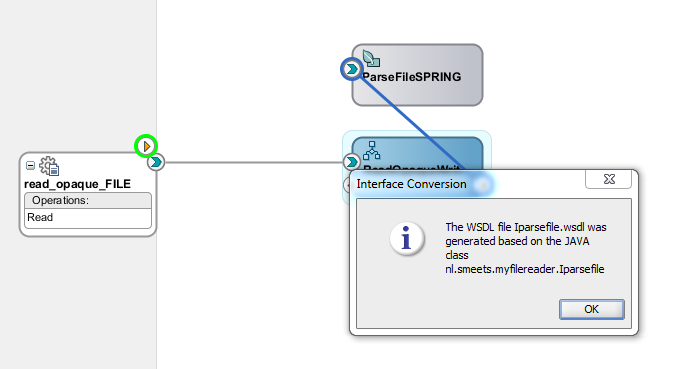
First make sure the Java interface and class are compiled to avoid errors such as the one below;
Now you can use the composite editor to expose the Spring bean or use it in a BPEL process.
BPEL
Use BPEL to bring it all together. In BPEL you can assign the parameters of the parsing Java method. In this example I've hardcoded them in the process but of course you can also use BPEL preferences (described in a previous post; http://javaoraclesoa.blogspot.com/2012/02/changing-properties-of-bpel-process-at.html) which can be defined in the composite.xml file and modified at runtime so if the format of the file changes, you don't have to redeploy the BPEL process. Don't forget to update the configuration plan supplied to reflect your local environment. *.txt files from (logical path) READ_FILE_DIR are read and xml files are written as output to logical path WRITE_FILE_DIR.
Input;
h1;h2;h3;h4
A;B;C;D
E;F;G;H
Total: 2
Output;
<?xml version="1.0" encoding="UTF-8" ?>
<parseResponse xmlns="http://myfilereader.smeets.nl/">
<return xmlns:ns0="http://myfilereader.smeets.nl/types" xmlns="">
<item>A</item>
<item>B</item>
<item>C</item>
<item>D</item>
</return>
<return xmlns:ns0="http://myfilereader.smeets.nl/types" xmlns="">
<item>E</item>
<item>F</item>
<item>G</item>
<item>H</item>
</return>
</parseResponse>
You can download the entire example here; https://www.dropbox.com/s/ytgwjz7zjlvscmj/DemoReadFile.zip?dl=0
The Oracle SOA Suite 11g FileAdapter provides (among other things) functionality to read a variety of text file formats such as CSV and transform them into XML. This makes it easier to use them in for example BPEL. Usually the FileAdapter provides enough functionality to correctly parse files. Sometimes however, this is not possible. An example of such a file;
h1;h2;h3;h4
A;B;C;D
E;F;G;H
Total: 2
h1 to h4 are header fields. The second and third line are the records and the last line indicates how many records are present in the file.
The last line cannot be excluded from parsing by the FileAdapter and will lead to errors. As a workaround and to provide some flexibility in file parsing, the following solution can be implemented. Keep in mind that this solution will cause problems for large files since the file will in memory be converted to XML.
Read the file as opaque using the FileAdapter. Create a Java class which has a public method with a byte array as input parameter and some parsing parameters. Wrap the Java class as a Spring component. Then you can use the component in a BPEL process as JDeveloper will generate XSD's/WSDL's for the Spring component for you.
Implementation
FileAdapter
In BPEL define a file adapter and select not to use a schema;
Java class parsefile
A Java class does the parsing. You can of course expand this example. Currently empty lines are also processed as entries, which might not be what you want. This class is also specific for the example given in the introduction (but is flexible enough for related file formats). I have chosen to return an ArrayList of ArrayLists. The first (outer) ArrayList contains the records of the file and the inner ArrayList contains the items in the record separated on a separator regular expression. The header lines can be ignored and you can specify to skip lines starting with a specific string. If you want to be able to skip multiple strings (in order to make a selection in the file of lines to process), you can change the type of the last parameter of the parse function to ArrayList and alter the code to loop over that.
Create the following Java class;
package nl.smeets.myfilereader;
import java.io.BufferedReader;
import java.io.ByteArrayInputStream;
import java.io.FileNotFoundException;
import java.io.IOException;
import java.io.InputStreamReader;
import java.util.ArrayList;
public class parsefile {
public parsefile() {
super();
}
public ArrayList<ArrayList<String>> parse(byte[] bytes_in,
String separator,
Integer ignorefirstlines,
String ignoreStartsWith) {
ArrayList<ArrayList<String>> l_retval =
new ArrayList<ArrayList<String>>();
ByteArrayInputStream ba_in = new ByteArrayInputStream(bytes_in);
BufferedReader br_in =
new BufferedReader(new InputStreamReader(ba_in));
Integer linecounter = 0;
String line = null;
try {
while ((line = br_in.readLine()) != null) {
if (!line.startsWith(ignoreStartsWith) &&
linecounter >= ignorefirstlines) {
l_retval.add(parseLine(line, separator));
}
linecounter++;
}
} catch (FileNotFoundException ex) {
ex.printStackTrace();
} catch (IOException ex) {
ex.printStackTrace();
} finally {
//Close the BufferedReader
try {
if (br_in != null)
br_in.close();
} catch (IOException ex) {
ex.printStackTrace();
}
}
return l_retval;
}
ArrayList<String> parseLine(String input, String separator) {
ArrayList<String> retval = new ArrayList<String>();
String[] splitVals = input.split(separator);
for (String addVal : splitVals) {
retval.add(addVal);
}
return retval;
}
public static void main(String[] args) {
//test; skips first line and all lines starting with Total. uses ; as separator
//parsefile parsefile = new parsefile();
//System.out.println(parsefile.parse("h1;h2;h3;h4\ne1;f1;g1;h1\ne2;f2;g2;h2\nTotal: 1".getBytes(), ";", 1, "Total"));
}
}
Extract interface
Right-click the Java file, Refactor, Extract interface
Spring bean
Use the wizard to create a Spring bean and define it as follows;
<?xml version="1.0" encoding="windows-1252" ?>
<beans xmlns="http://www.springframework.org/schema/beans"
xmlns:util="http://www.springframework.org/schema/util"
xmlns:jee="http://www.springframework.org/schema/jee"
xmlns:lang="http://www.springframework.org/schema/lang"
xmlns:aop="http://www.springframework.org/schema/aop"
xmlns:tx="http://www.springframework.org/schema/tx"
xmlns:sca="http://xmlns.oracle.com/weblogic/weblogic-sca"
xmlns:xsi="http://www.w3.org/2001/XMLSchema-instance"
xsi:schemaLocation="http://www.springframework.org/schema/beans http://www.springframework.org/schema/beans/spring-beans-2.5.xsd http://www.springframework.org/schema/util http://www.springframework.org/schema/util/spring-util-2.5.xsd http://www.springframework.org/schema/aop http://www.springframework.org/schema/aop/spring-aop-2.5.xsd http://www.springframework.org/schema/jee http://www.springframework.org/schema/jee/spring-jee-2.5.xsd http://www.springframework.org/schema/lang http://www.springframework.org/schema/lang/spring-lang-2.5.xsd http://www.springframework.org/schema/tx http://www.springframework.org/schema/tx/spring-tx-2.5.xsd http://www.springframework.org/schema/tool http://www.springframework.org/schema/tool/spring-tool-2.5.xsd http://xmlns.oracle.com/weblogic/weblogic-sca META-INF/weblogic-sca.xsd">
<bean name="ParseFileBean" class="nl.smeets.myfilereader.parsefile"/>
<sca:service name="ParseFileBeanService" target="ParseFileBean" type="nl.smeets.myfilereader.Iparsefile"/>
</beans>
First make sure the Java interface and class are compiled to avoid errors such as the one below;
Now you can use the composite editor to expose the Spring bean or use it in a BPEL process.
BPEL
Use BPEL to bring it all together. In BPEL you can assign the parameters of the parsing Java method. In this example I've hardcoded them in the process but of course you can also use BPEL preferences (described in a previous post; http://javaoraclesoa.blogspot.com/2012/02/changing-properties-of-bpel-process-at.html) which can be defined in the composite.xml file and modified at runtime so if the format of the file changes, you don't have to redeploy the BPEL process. Don't forget to update the configuration plan supplied to reflect your local environment. *.txt files from (logical path) READ_FILE_DIR are read and xml files are written as output to logical path WRITE_FILE_DIR.
Input;
h1;h2;h3;h4
A;B;C;D
E;F;G;H
Total: 2
Output;
<?xml version="1.0" encoding="UTF-8" ?>
<parseResponse xmlns="http://myfilereader.smeets.nl/">
<return xmlns:ns0="http://myfilereader.smeets.nl/types" xmlns="">
<item>A</item>
<item>B</item>
<item>C</item>
<item>D</item>
</return>
<return xmlns:ns0="http://myfilereader.smeets.nl/types" xmlns="">
<item>E</item>
<item>F</item>
<item>G</item>
<item>H</item>
</return>
</parseResponse>
You can download the entire example here; https://www.dropbox.com/s/ytgwjz7zjlvscmj/DemoReadFile.zip?dl=0
Subscribe to:
Posts (Atom)