As described in a previous post (http://javaoraclesoa.blogspot.nl/2013/08/wlst-obtaining-parameters-recovering.html), by using a WLST script it is possible to check if a Weblogic server can connect to all databases which are configured in datasources. In this post I'll describe how this script can be used in Jenkins to automatically inform the DBA to fix their database issues. The focus will be on the left part of the below image.
The SSHExec Ant task is used to connect to a Linux/Unix machine where the Weblogic server is running. The SSHExec Ant task then executes the WLST script which checks datasource/database availability (for every managed server). To call the task with different parameters for the different environments, Maven profiles are used in a wrapper POM file. This POM is then called by using the Maven invoker plugin for every profile. In order to not make the build fail on the first database which is down, the log file in Jenkins is parsed afterwards using the Logparser plugin (https://wiki.jenkins-ci.org/display/JENKINS/Log+Parser+Plugin).
The Maven project, resume.py script and log parsing rules can be downloaded here; https://dl.dropboxusercontent.com/u/6693935/blog/checkdatasources.zip
Articles containing tips, tricks and nice to knows related to IT stuff I find interesting. Also serves as online memory.
Showing posts with label ant. Show all posts
Friday, September 6, 2013
Saturday, March 16, 2013
Generating Oracle SOA configuration plans; XML manipulation in Ant using XMLTask
Configuration plans can be used for making Oracle SOA deployments specific to an environment. Writing deployment plans can be cumbersome. Especially replacing endpoints of every called service for a newly generated process for every environment is repetitive work and error prone. Also updating the configuration plan when changes occur is often forgotten. A solution for this can be to use a generic configuration plan such as described on; http://javaoraclesoa.blogspot.nl/2013/01/generic-configuration-plan-for-soa.html. This generic plan however is very generic and it will replace endpoints in all files in the project. This might not be what you want. In this post I describe another solution. Generating a configuration plan using the Oracle supplied Ant scripts and then using an Ant script to rewrite it to become specific based on a simple configuration file. This also illustrates how XML manipulations can be done by using xmltask (http://www.oopsconsultancy.com/software/xmltask/) in Ant.
The below explanation of how I've created this might seem complicated. If you just want the tool, you can download a complete working example (which requires little configuration) here; https://dl.dropbox.com/u/6693935/blog/GenConfigPlan.zip. All you have to do to get this working is replace the ORACLE_HOME variable, create a build.properties file for your environments and you're ready to go.
Implementation
build.properties
I've used a build.properties as follows;
envs=dev,prd
replacesets=first,second
first.dev.url=http://192.168.1.1:7001
first.prd.url=http://192.168.1.2:7001
second.dev.url=http://192.168.2.1:8080
second.prd.url=http://192.168.2.2:8080
This properties file specifies both my environments, development (dev) and production (prd). In my environment I have two sets of endpoints to be replaced. My first set (called conveniently 'first') and my second set (second). 'first' can represent for example the Oracle SOA server URL to be replaced and second can be an external service which has references which differ across the environments and thus for which URL's also need to be replaced.
Batch script to start Ant
I've used the following batch script to start the Ant script;
REM Location of Middleware home
set ORACLE_HOME=D:\Oracle\Middleware11116
set ANT_HOME=%ORACLE_HOME%\jdeveloper\ant
set PATH=%ANT_HOME%\bin;%PATH%
set JAVA_HOME=%ORACLE_HOME%\jdk160_24
set CURRENT_FOLDER=%CD%
ant -f genConfigPlan.xml -Dbasedir=%ORACLE_HOME%\jdeveloper\bin -DcompositeDir=%1
The parameter compositeDir specifies the path below which the composite.xml exists and where the new configuration plans need to be created
The batch file can for example be called like;
genConfigPlan.bat D:\dev\HelloWorld\HelloWorldCaller
Where HelloWorldCaller directory is the location of the project which contains the composite.xml. This example is also used in the 'Results' section
Ant script
I've created an Ant build file. This calls the ant-sca-compile script (http://docs.oracle.com/cd/E14571_01/integration.1111/e10224/sca_lifecycle.htm) to generate a default configuration plan. Then I use properties from my configuration file and do replacements for every environment in the generated configuration plan.
Below is the complete Ant script I've used. I will explain the most important parts.
<?xml version="1.0" encoding="iso-8859-1"?>
<project name="soaGenConfigPlan" default="build">
<property environment="env"/>
<property file="${env.CURRENT_FOLDER}/build.properties"/>
<taskdef name="xmltask" classname="com.oopsconsultancy.xmltask.ant.XmlTask">
<classpath>
<pathelement path="${env.CURRENT_FOLDER}/lib/xmltask.jar"/>
<pathelement path="${env.CURRENT_FOLDER}/lib/xalan.jar"/>
</classpath>
</taskdef>
<taskdef resource="net/sf/antcontrib/antcontrib.properties">
<classpath>
<pathelement location="${env.ORACLE_HOME}/modules/net.sf.antcontrib_1.1.0.0_1-0b2/lib/ant-contrib.jar"/>
</classpath>
</taskdef>
<import file="${basedir}/ant-sca-compile.xml"/>
<target name="genenvconfigplan">
<echo>Build environment: ${buildenv}</echo>
<property name="configplan_out" value="${compositename}_cfgplan_${buildenv}.xml"/>
<echo>Target configplan name: ${configplan_out}</echo>
<copy file="${compositeDir}/plantemplate.xml" tofile="${compositeDir}/${configplan_out}"/>
<foreach list="${replacesets}" target="replaceset" param="replaceset" inheritall="true" inheritrefs="false" delimiter=","/>
</target>
<target name="replaceset">
<echo message="Processing replacementset: ${replaceset}"/>
<propertycopy name="devurl" from="${replaceset}.dev.url"/>
<propertycopy name="replacewithurl" from="${replaceset}.${buildenv}.url"/>
<echo message="dev URL: ${devurl}"/>
<echo message="${buildenv} URL: ${replacewithurl}"/>
<xmltask source="${compositeDir}/${configplan_out}" destbuffer="myMsg"/>
<xmltask sourcebuffer="myMsg" destBuffer="myMsg">
<insert path="/*[local-name() = 'SOAConfigPlan']/*[local-name() = 'composite']/*[local-name() = 'import']/*[local-name() = 'searchReplace' and position()=1]" position="after"><![CDATA[<searchReplace xmlns="http://schemas.oracle.com/soa/configplan"><search>${devurl}</search><replace>${replacewithurl}</replace></searchReplace>]]></insert>
<remove path="/*[local-name() = 'SOAConfigPlan']/*[local-name() = 'composite']/*[local-name() = 'import']/*[local-name() = 'searchReplace' and string-length(*[local-name() = 'search']/text())=0]"/>
<insert path="/*[local-name() = 'SOAConfigPlan']/*[local-name() = 'wsdlAndSchema']/*[local-name() = 'searchReplace' and position()=1]" position="after"><![CDATA[<searchReplace xmlns="http://schemas.oracle.com/soa/configplan"><search>${devurl}</search><replace>${replacewithurl}</replace></searchReplace>]]></insert>
<remove path="/*[local-name() = 'SOAConfigPlan']/*[local-name() = 'wsdlAndSchema']/*[local-name() = 'searchReplace' and string-length(*[local-name() = 'search']/text())=0]"/>
<copy path="/*[local-name() = 'SOAConfigPlan']/*[local-name() = 'composite']" buffer="myMsgTmp"/>
<call path="/*[local-name() = 'SOAConfigPlan']/*[local-name() = 'composite']/*[local-name() = 'reference']">
<param name="name" path="@name"/>
<actions>
<echo>Found a reference: @{name}</echo>
<xmltask sourcebuffer="myMsgTmp" destbuffer="myMsgTmp">
<regexp path="/*[local-name() = 'composite']/*[local-name() = 'reference' and @name='@{name}']/*[local-name() = 'binding' and @type='ws']/*[local-name() = 'attribute' and @name='location']/*[local-name() = 'replace']/text()" pattern="(.*)${devurl}(.*)" replace="$1${replacewithurl}$2"/>
<regexp path="/*[local-name() = 'composite']/*[local-name() = 'reference' and @name='@{name}']/*[local-name() = 'binding' and @type='ws']/*[local-name() = 'property' and @name='endpointURI']/*[local-name() = 'replace']/text()" pattern="(.*)${devurl}(.*)" replace="$1${replacewithurl}$2"/>
</xmltask>
</actions>
</call>
<replace path="/*[local-name() = 'SOAConfigPlan']/*[local-name() = 'composite']" withBuffer="myMsgTmp"/>
</xmltask>
<xmltask sourcebuffer='myMsg' dest="${compositeDir}/${configplan_out}"/>
</target>
<target name="build">
<echo>current folder ${env.CURRENT_FOLDER}</echo>
<property file="${env.CURRENT_FOLDER}/build.properties"/>
<input message="Please enter composite directory:" addproperty="compositeDir"/>
<antcall target="generateplan">
<param name="scac.input" value="${compositeDir}/composite.xml"/>
<param name="scac.plan" value="${compositeDir}/plantemplate.xml"/>
</antcall>
<xmltask source="${compositeDir}/composite.xml">
<copy path="/*[local-name() = 'composite']/@name" property="compositename" attrValue="true"/>
</xmltask>
<echo message="Composite name: ${compositename}"/>
<foreach list="${envs}" param="buildenv" target="genenvconfigplan" inheritall="true" inheritrefs="true" delimiter=","/>
<delete file="${compositeDir}/plantemplate.xml"/>
</target>
</project>
The default target is 'build'. First it generates a default configuration plan (plantemplate.xml in the below sample) based on the composite.xml from a supplied location;
<antcall target="generateplan">
<param name="scac.input" value="${compositeDir}/composite.xml"/>
<param name="scac.plan" value="${compositeDir}/plantemplate.xml"/>
</antcall>
Then for every environment (from the properties file build.properties). It calls the target 'genenvconfigplan'. This target generates a configuration plan specific to an environment. This target calls for every replaceset from the build.properties the target 'replaceset'. This allows multiple sets of URL's to be replaced. This target performs the actual replacement by using the xmltask.
xmltask
The top part of the Ant build file is for expanding the classpath in order to include the xmltask Java libraries (see: http://stackoverflow.com/questions/11633308/xmltask-in-java-1-7). Also the Ant task is made known to the script.
<taskdef name="xmltask" classname="com.oopsconsultancy.xmltask.ant.XmlTask">
<classpath>
<pathelement path="${env.CURRENT_FOLDER}/lib/xmltask.jar"/>
<pathelement path="${env.CURRENT_FOLDER}/lib/xalan.jar"/>
</classpath>
</taskdef>
First it inserts a new entry at /SOAConfigPlan/wsdlAndSchema/searchReplace and removes the old empty one. Then it does the same for /SOAConfigPlan/wsdlAndSchema/searchReplace.
<insert path="/*[local-name() = 'SOAConfigPlan']/*[local-name() = 'composite']/*[local-name() = 'import']/*[local-name() = 'searchReplace' and last()]" position="after"><![CDATA[<searchReplace xmlns="http://schemas.oracle.com/soa/configplan"><search>${devurl}</search><replace>${replacewithurl}</replace></searchReplace>]]></insert>
<remove path="/*[local-name() = 'SOAConfigPlan']/*[local-name() = 'composite']/*[local-name() = 'import']/*[local-name() = 'searchReplace' and string-length(*[local-name() = 'search']/text())=0]"/>
Because of namespace issues I use the local-name() XPATH function to get to the correct path. See for example; http://stackoverflow.com/questions/9381512/xmlpath-from-ant-using-xmltasks-cant-match-if-xml-file-has-elements-in-differen. When I use the 'insert' action and specify a namespace which is a default namespace in the target, the namespace reference get's removed in the resulting XML which is nice.
Replacing the location attribute and endpointURI property in the reference part of the configuration plan was harder. I needed a loop construction here so I could process every reference entry individually. The method I found to achieve this was by using the xmltask 'call' action. Properties in Ant can be set only once, which makes working with them somewhat difficult. xmltask provides an alternative; buffers. Here I encountered some difficulties to process parts of the message. When using xmltask call action, the buffer used inside a called Ant target will be out of scope in the parent process. When using an embedded <actions/> section, the buffer won't be out of scope! So I used the embedded <actions/> section to achieve successful replacement. I've also used a parameter (@{name} in the below sniplet) to be able to select the correct reference node to do the replacement in.
<call path="/*[local-name() = 'SOAConfigPlan']/*[local-name() = 'composite']/*[local-name() = 'reference']">
<param name="name" path="@name"/>
<actions>
<echo>Found a reference: @{name}</echo>
<xmltask sourcebuffer="myMsgTmp" destbuffer="myMsgTmp">
<regexp path="/*[local-name() = 'composite']/*[local-name() = 'reference' and @name='@{name}']/*[local-name() = 'binding' and @type='ws']/*[local-name() = 'attribute' and @name='location']/*[local-name() = 'replace']/text()" pattern="(.*)${devurl}(.*)" replace="$1${replacewithurl}$2"/>
<regexp path="/*[local-name() = 'composite']/*[local-name() = 'reference' and @name='@{name}']/*[local-name() = 'binding' and @type='ws']/*[local-name() = 'property' and @name='endpointURI']/*[local-name() = 'replace']/text()" pattern="(.*)${devurl}(.*)" replace="$1${replacewithurl}$2"/>
</xmltask>
</actions>
</call>
As can be seen in the above sample I used the regular expression call to do the actual replacement. This way URL's like http://192.168.2.1:8080/webapp/services/mysuperservice would also get replaced properly.
The complete code can be downloaded here; https://dl.dropbox.com/u/6693935/blog/GenConfigPlan.zip
Result
In the below sniplets I've removed the generated comments for brevity. I've created a synchronous hello world process (HelloWorld) and a synchronous process to call this hello world process (HelloWorldCaller). The default generated configuration plan for HelloWorldCaller is as follows;
<?xml version="1.0" encoding="UTF-8"?>
<SOAConfigPlan xmlns:jca="http://platform.integration.oracle/blocks/adapter/fw/metadata" xmlns:wsp="http://schemas.xmlsoap.org/ws/2004/09/policy" xmlns:orawsp="http://schemas.oracle.com/ws/2006/01/policy" xmlns:edl="http://schemas.oracle.com/events/edl" xmlns="http://schemas.oracle.com/soa/configplan">
<composite name="HelloWorldCaller">
<import>
<searchReplace>
<search/>
<replace/>
</searchReplace>
</import>
<service name="helloworldcaller_client_ep">
<binding type="ws">
<attribute name="port">
<replace>http://xmlns.oracle.com/HelloWorld/HelloWorldCaller/HelloWorldCaller#wsdl.endpoint(helloworldcaller_client_ep/HelloWorldCaller_pt)</replace>
</attribute>
</binding>
</service>
<component name="HelloWorldCaller">
<property name="bpel.config.transaction">
<replace>required</replace>
</property>
</component>
<reference name="Service1">
<binding type="ws">
<attribute name="port">
<replace>http://xmlns.oracle.com/HelloWorld/HelloWorld/HelloWorld#wsdl.endpoint(helloworld_client_ep/HelloWorld_pt)</replace>
</attribute>
<attribute name="location">
<replace>http://192.168.1.1:7001/soa-infra/services/default/HelloWorld/helloworld_client_ep?WSDL</replace>
</attribute>
<property name="weblogic.wsee.wsat.transaction.flowOption">
<replace>WSDLDriven</replace>
</property>
</binding>
</reference>
</composite>
<wsdlAndSchema name="HelloWorld.wsdl|HelloWorldCaller.wsdl|xsd/HelloWorld.xsd|xsd/HelloWorldCaller.xsd">
<searchReplace>
<search/>
<replace/>
</searchReplace>
</wsdlAndSchema>
</SOAConfigPlan>
This plan is not directly usuable since nothing is replaced. To avoid manually creating a configuration plan for my production environment, I've used the Ant script explained in this post with the mentioned build.properties.
In the below script output you can see all replacement sets are used (first and second) for all environments (dev and prd) and all references (1 in this case).
----------------------------------------------------
Buildfile: genConfigPlan.xml
build:
[echo] current folder D:\dev\GenConfigPlan
[input] skipping input as property compositeDir has already been set.
generateplan:
[input] skipping input as property scac.input has already been set.
[input] skipping input as property scac.plan has already been set.
[generateplan] Loading Composite file d:\dev\HelloWorld\HelloWorldCaller\composite.xml
[generateplan] Composite loaded
[generateplan] Done generation of soa config plan.
[generateplan] Write soa config plan to file d:\dev\HelloWorld\HelloWorldCaller/plantemplate.xml
[generateplan] Generate plan successful
[echo] Composite name: HelloWorldCaller
genenvconfigplan:
[echo] Build environment: dev
[echo] Target configplan name: HelloWorldCaller_cfgplan_dev.xml
[copy] Copying 1 file to d:\dev\HelloWorld\HelloWorldCaller
replaceset:
[echo] Processing replacementset: first
[echo] dev URL: http://192.168.1.1:7001
[echo] dev URL: http://192.168.1.1:7001
[echo] Found a reference: Service1
replaceset:
[echo] Processing replacementset: second
[echo] dev URL: http://192.168.2.1:8080
[echo] dev URL: http://192.168.2.1:8080
[echo] Found a reference: Service1
genenvconfigplan:
[echo] Build environment: prd
[echo] Target configplan name: HelloWorldCaller_cfgplan_prd.xml
[copy] Copying 1 file to d:\dev\HelloWorld\HelloWorldCaller
replaceset:
[echo] Processing replacementset: first
[echo] dev URL: http://192.168.1.1:7001
[echo] prd URL: http://192.168.1.2:7001
[echo] Found a reference: Service1
replaceset:
[echo] Processing replacementset: second
[echo] dev URL: http://192.168.2.1:8080
[echo] prd URL: http://192.168.2.2:8080
[echo] Found a reference: Service1
[delete] Deleting: d:\dev\HelloWorld\HelloWorldCaller\plantemplate.xml
BUILD SUCCESSFUL
Total time: 2 seconds
After I ran the Ant script I get two configuration plans. One for the development environment and one for the production environment. Below is the one for the production environment. In bold indicated which portions are added/changed by the script.
<?xml version="1.0" encoding="UTF-8" standalone="no"?>
<SOAConfigPlan xmlns="http://schemas.oracle.com/soa/configplan" xmlns:edl="http://schemas.oracle.com/events/edl" xmlns:jca="http://platform.integration.oracle/blocks/adapter/fw/metadata" xmlns:orawsp="http://schemas.oracle.com/ws/2006/01/policy" xmlns:wsp="http://schemas.xmlsoap.org/ws/2004/09/policy">
<composite name="HelloWorldCaller">
<import>
<searchReplace>
<search>http://192.168.1.1:7001</search>
<replace>http://192.168.1.2:7001</replace>
</searchReplace>
<searchReplace>
<search>http://192.168.2.1:8080</search>
<replace>http://192.168.2.2:8080</replace>
</searchReplace>
</import>
<service name="helloworldcaller_client_ep">
<binding type="ws">
<attribute name="port">
<replace>http://xmlns.oracle.com/HelloWorld/HelloWorldCaller/HelloWorldCaller#wsdl.endpoint(helloworldcaller_client_ep/HelloWorldCaller_pt)</replace>
</attribute>
</binding>
</service>
<component name="HelloWorldCaller">
<property name="bpel.config.transaction">
<replace>required</replace>
</property>
</component>
<reference name="Service1">
<binding type="ws">
<attribute name="port">
<replace>http://xmlns.oracle.com/HelloWorld/HelloWorld/HelloWorld#wsdl.endpoint(helloworld_client_ep/HelloWorld_pt)</replace>
</attribute>
<attribute name="location">
<replace>http://192.168.1.2:7001/soa-infra/services/default/HelloWorld/helloworld_client_ep?WSDL</replace>
</attribute>
<property name="weblogic.wsee.wsat.transaction.flowOption">
<replace>WSDLDriven</replace>
</property>
</binding>
</reference>
</composite>
<wsdlAndSchema name="HelloWorld.wsdl|HelloWorldCaller.wsdl|xsd/HelloWorld.xsd|xsd/HelloWorldCaller.xsd">
<searchReplace>
<search>http://192.168.1.1:7001</search>
<replace>http://192.168.1.2:7001</replace>
</searchReplace>
<searchReplace>
<search>http://192.168.2.1:8080</search>
<replace>http://192.168.2.2:8080</replace>
</searchReplace>
</wsdlAndSchema>
</SOAConfigPlan>
When testing the generated configuration plan (JDeveloper, right click the configuration plan, Validate Config Plan), the following is shown. This validates the generated configuration plan and shows it functions as expected.
Modified Composite [ HelloWorldCaller ]
Import Loations
No change in old and new value HelloWorldCaller.wsdl
Old [ http://192.168.1.1:7001/soa-infra/services/default/HelloWorld/HelloWorld.wsdl ]
New [ http://192.168.1.2:7001/soa-infra/services/default/HelloWorld/HelloWorld.wsdl ]
Component
Component [ HelloWorldCaller ]
Property [ bpel.config.transaction ]
No change in old and new value required
Service
Service [ helloworldcaller_client_ep ]
Service Bindings
Binding [ ws ]
Attribute name=port
No change in old and new value http://xmlns.oracle.com/HelloWorld/HelloWorldCaller/HelloWorldCaller#wsdl.endpoint(helloworldcaller_client_ep/HelloWorldCaller_pt)
Reference
Reference [ Service1 ]
Reference Bindings
Binding [ ws ]
Property [ weblogic.wsee.wsat.transaction.flowOption ]
No change in old and new value WSDLDriven
Attribute name=port
No change in old and new value http://xmlns.oracle.com/HelloWorld/HelloWorld/HelloWorld#wsdl.endpoint(helloworld_client_ep/HelloWorld_pt)
Attribute name=location
Old [ http://192.168.1.1:7001/soa-infra/services/default/HelloWorld/helloworld_client_ep?WSDL ]
New [ http://192.168.1.2:7001/soa-infra/services/default/HelloWorld/helloworld_client_ep?WSDL ]
---End Match for composite [ HelloWorldCaller ] in config plan---
Checking for replacement in wsdl and schema files
The below explanation of how I've created this might seem complicated. If you just want the tool, you can download a complete working example (which requires little configuration) here; https://dl.dropbox.com/u/6693935/blog/GenConfigPlan.zip. All you have to do to get this working is replace the ORACLE_HOME variable, create a build.properties file for your environments and you're ready to go.
Implementation
build.properties
I've used a build.properties as follows;
envs=dev,prd
replacesets=first,second
first.dev.url=http://192.168.1.1:7001
first.prd.url=http://192.168.1.2:7001
second.dev.url=http://192.168.2.1:8080
second.prd.url=http://192.168.2.2:8080
This properties file specifies both my environments, development (dev) and production (prd). In my environment I have two sets of endpoints to be replaced. My first set (called conveniently 'first') and my second set (second). 'first' can represent for example the Oracle SOA server URL to be replaced and second can be an external service which has references which differ across the environments and thus for which URL's also need to be replaced.
Batch script to start Ant
I've used the following batch script to start the Ant script;
REM Location of Middleware home
set ORACLE_HOME=D:\Oracle\Middleware11116
set ANT_HOME=%ORACLE_HOME%\jdeveloper\ant
set PATH=%ANT_HOME%\bin;%PATH%
set JAVA_HOME=%ORACLE_HOME%\jdk160_24
set CURRENT_FOLDER=%CD%
ant -f genConfigPlan.xml -Dbasedir=%ORACLE_HOME%\jdeveloper\bin -DcompositeDir=%1
The parameter compositeDir specifies the path below which the composite.xml exists and where the new configuration plans need to be created
The batch file can for example be called like;
genConfigPlan.bat D:\dev\HelloWorld\HelloWorldCaller
Where HelloWorldCaller directory is the location of the project which contains the composite.xml. This example is also used in the 'Results' section
Ant script
I've created an Ant build file. This calls the ant-sca-compile script (http://docs.oracle.com/cd/E14571_01/integration.1111/e10224/sca_lifecycle.htm) to generate a default configuration plan. Then I use properties from my configuration file and do replacements for every environment in the generated configuration plan.
Below is the complete Ant script I've used. I will explain the most important parts.
<?xml version="1.0" encoding="iso-8859-1"?>
<project name="soaGenConfigPlan" default="build">
<property environment="env"/>
<property file="${env.CURRENT_FOLDER}/build.properties"/>
<taskdef name="xmltask" classname="com.oopsconsultancy.xmltask.ant.XmlTask">
<classpath>
<pathelement path="${env.CURRENT_FOLDER}/lib/xmltask.jar"/>
<pathelement path="${env.CURRENT_FOLDER}/lib/xalan.jar"/>
</classpath>
</taskdef>
<taskdef resource="net/sf/antcontrib/antcontrib.properties">
<classpath>
<pathelement location="${env.ORACLE_HOME}/modules/net.sf.antcontrib_1.1.0.0_1-0b2/lib/ant-contrib.jar"/>
</classpath>
</taskdef>
<import file="${basedir}/ant-sca-compile.xml"/>
<target name="genenvconfigplan">
<echo>Build environment: ${buildenv}</echo>
<property name="configplan_out" value="${compositename}_cfgplan_${buildenv}.xml"/>
<echo>Target configplan name: ${configplan_out}</echo>
<copy file="${compositeDir}/plantemplate.xml" tofile="${compositeDir}/${configplan_out}"/>
<foreach list="${replacesets}" target="replaceset" param="replaceset" inheritall="true" inheritrefs="false" delimiter=","/>
</target>
<target name="replaceset">
<echo message="Processing replacementset: ${replaceset}"/>
<propertycopy name="devurl" from="${replaceset}.dev.url"/>
<propertycopy name="replacewithurl" from="${replaceset}.${buildenv}.url"/>
<echo message="dev URL: ${devurl}"/>
<echo message="${buildenv} URL: ${replacewithurl}"/>
<xmltask source="${compositeDir}/${configplan_out}" destbuffer="myMsg"/>
<xmltask sourcebuffer="myMsg" destBuffer="myMsg">
<insert path="/*[local-name() = 'SOAConfigPlan']/*[local-name() = 'composite']/*[local-name() = 'import']/*[local-name() = 'searchReplace' and position()=1]" position="after"><![CDATA[<searchReplace xmlns="http://schemas.oracle.com/soa/configplan"><search>${devurl}</search><replace>${replacewithurl}</replace></searchReplace>]]></insert>
<remove path="/*[local-name() = 'SOAConfigPlan']/*[local-name() = 'composite']/*[local-name() = 'import']/*[local-name() = 'searchReplace' and string-length(*[local-name() = 'search']/text())=0]"/>
<insert path="/*[local-name() = 'SOAConfigPlan']/*[local-name() = 'wsdlAndSchema']/*[local-name() = 'searchReplace' and position()=1]" position="after"><![CDATA[<searchReplace xmlns="http://schemas.oracle.com/soa/configplan"><search>${devurl}</search><replace>${replacewithurl}</replace></searchReplace>]]></insert>
<remove path="/*[local-name() = 'SOAConfigPlan']/*[local-name() = 'wsdlAndSchema']/*[local-name() = 'searchReplace' and string-length(*[local-name() = 'search']/text())=0]"/>
<copy path="/*[local-name() = 'SOAConfigPlan']/*[local-name() = 'composite']" buffer="myMsgTmp"/>
<call path="/*[local-name() = 'SOAConfigPlan']/*[local-name() = 'composite']/*[local-name() = 'reference']">
<param name="name" path="@name"/>
<actions>
<echo>Found a reference: @{name}</echo>
<xmltask sourcebuffer="myMsgTmp" destbuffer="myMsgTmp">
<regexp path="/*[local-name() = 'composite']/*[local-name() = 'reference' and @name='@{name}']/*[local-name() = 'binding' and @type='ws']/*[local-name() = 'attribute' and @name='location']/*[local-name() = 'replace']/text()" pattern="(.*)${devurl}(.*)" replace="$1${replacewithurl}$2"/>
<regexp path="/*[local-name() = 'composite']/*[local-name() = 'reference' and @name='@{name}']/*[local-name() = 'binding' and @type='ws']/*[local-name() = 'property' and @name='endpointURI']/*[local-name() = 'replace']/text()" pattern="(.*)${devurl}(.*)" replace="$1${replacewithurl}$2"/>
</xmltask>
</actions>
</call>
<replace path="/*[local-name() = 'SOAConfigPlan']/*[local-name() = 'composite']" withBuffer="myMsgTmp"/>
</xmltask>
<xmltask sourcebuffer='myMsg' dest="${compositeDir}/${configplan_out}"/>
</target>
<target name="build">
<echo>current folder ${env.CURRENT_FOLDER}</echo>
<property file="${env.CURRENT_FOLDER}/build.properties"/>
<input message="Please enter composite directory:" addproperty="compositeDir"/>
<antcall target="generateplan">
<param name="scac.input" value="${compositeDir}/composite.xml"/>
<param name="scac.plan" value="${compositeDir}/plantemplate.xml"/>
</antcall>
<xmltask source="${compositeDir}/composite.xml">
<copy path="/*[local-name() = 'composite']/@name" property="compositename" attrValue="true"/>
</xmltask>
<echo message="Composite name: ${compositename}"/>
<foreach list="${envs}" param="buildenv" target="genenvconfigplan" inheritall="true" inheritrefs="true" delimiter=","/>
<delete file="${compositeDir}/plantemplate.xml"/>
</target>
</project>
The default target is 'build'. First it generates a default configuration plan (plantemplate.xml in the below sample) based on the composite.xml from a supplied location;
<antcall target="generateplan">
<param name="scac.input" value="${compositeDir}/composite.xml"/>
<param name="scac.plan" value="${compositeDir}/plantemplate.xml"/>
</antcall>
Then for every environment (from the properties file build.properties). It calls the target 'genenvconfigplan'. This target generates a configuration plan specific to an environment. This target calls for every replaceset from the build.properties the target 'replaceset'. This allows multiple sets of URL's to be replaced. This target performs the actual replacement by using the xmltask.
xmltask
The top part of the Ant build file is for expanding the classpath in order to include the xmltask Java libraries (see: http://stackoverflow.com/questions/11633308/xmltask-in-java-1-7). Also the Ant task is made known to the script.
<taskdef name="xmltask" classname="com.oopsconsultancy.xmltask.ant.XmlTask">
<classpath>
<pathelement path="${env.CURRENT_FOLDER}/lib/xmltask.jar"/>
<pathelement path="${env.CURRENT_FOLDER}/lib/xalan.jar"/>
</classpath>
</taskdef>
First it inserts a new entry at /SOAConfigPlan/wsdlAndSchema/searchReplace and removes the old empty one. Then it does the same for /SOAConfigPlan/wsdlAndSchema/searchReplace.
<insert path="/*[local-name() = 'SOAConfigPlan']/*[local-name() = 'composite']/*[local-name() = 'import']/*[local-name() = 'searchReplace' and last()]" position="after"><![CDATA[<searchReplace xmlns="http://schemas.oracle.com/soa/configplan"><search>${devurl}</search><replace>${replacewithurl}</replace></searchReplace>]]></insert>
<remove path="/*[local-name() = 'SOAConfigPlan']/*[local-name() = 'composite']/*[local-name() = 'import']/*[local-name() = 'searchReplace' and string-length(*[local-name() = 'search']/text())=0]"/>
Because of namespace issues I use the local-name() XPATH function to get to the correct path. See for example; http://stackoverflow.com/questions/9381512/xmlpath-from-ant-using-xmltasks-cant-match-if-xml-file-has-elements-in-differen. When I use the 'insert' action and specify a namespace which is a default namespace in the target, the namespace reference get's removed in the resulting XML which is nice.
Replacing the location attribute and endpointURI property in the reference part of the configuration plan was harder. I needed a loop construction here so I could process every reference entry individually. The method I found to achieve this was by using the xmltask 'call' action. Properties in Ant can be set only once, which makes working with them somewhat difficult. xmltask provides an alternative; buffers. Here I encountered some difficulties to process parts of the message. When using xmltask call action, the buffer used inside a called Ant target will be out of scope in the parent process. When using an embedded <actions/> section, the buffer won't be out of scope! So I used the embedded <actions/> section to achieve successful replacement. I've also used a parameter (@{name} in the below sniplet) to be able to select the correct reference node to do the replacement in.
<call path="/*[local-name() = 'SOAConfigPlan']/*[local-name() = 'composite']/*[local-name() = 'reference']">
<param name="name" path="@name"/>
<actions>
<echo>Found a reference: @{name}</echo>
<xmltask sourcebuffer="myMsgTmp" destbuffer="myMsgTmp">
<regexp path="/*[local-name() = 'composite']/*[local-name() = 'reference' and @name='@{name}']/*[local-name() = 'binding' and @type='ws']/*[local-name() = 'attribute' and @name='location']/*[local-name() = 'replace']/text()" pattern="(.*)${devurl}(.*)" replace="$1${replacewithurl}$2"/>
<regexp path="/*[local-name() = 'composite']/*[local-name() = 'reference' and @name='@{name}']/*[local-name() = 'binding' and @type='ws']/*[local-name() = 'property' and @name='endpointURI']/*[local-name() = 'replace']/text()" pattern="(.*)${devurl}(.*)" replace="$1${replacewithurl}$2"/>
</xmltask>
</actions>
</call>
As can be seen in the above sample I used the regular expression call to do the actual replacement. This way URL's like http://192.168.2.1:8080/webapp/services/mysuperservice would also get replaced properly.
The complete code can be downloaded here; https://dl.dropbox.com/u/6693935/blog/GenConfigPlan.zip
Result
In the below sniplets I've removed the generated comments for brevity. I've created a synchronous hello world process (HelloWorld) and a synchronous process to call this hello world process (HelloWorldCaller). The default generated configuration plan for HelloWorldCaller is as follows;
<?xml version="1.0" encoding="UTF-8"?>
<SOAConfigPlan xmlns:jca="http://platform.integration.oracle/blocks/adapter/fw/metadata" xmlns:wsp="http://schemas.xmlsoap.org/ws/2004/09/policy" xmlns:orawsp="http://schemas.oracle.com/ws/2006/01/policy" xmlns:edl="http://schemas.oracle.com/events/edl" xmlns="http://schemas.oracle.com/soa/configplan">
<composite name="HelloWorldCaller">
<import>
<searchReplace>
<search/>
<replace/>
</searchReplace>
</import>
<service name="helloworldcaller_client_ep">
<binding type="ws">
<attribute name="port">
<replace>http://xmlns.oracle.com/HelloWorld/HelloWorldCaller/HelloWorldCaller#wsdl.endpoint(helloworldcaller_client_ep/HelloWorldCaller_pt)</replace>
</attribute>
</binding>
</service>
<component name="HelloWorldCaller">
<property name="bpel.config.transaction">
<replace>required</replace>
</property>
</component>
<reference name="Service1">
<binding type="ws">
<attribute name="port">
<replace>http://xmlns.oracle.com/HelloWorld/HelloWorld/HelloWorld#wsdl.endpoint(helloworld_client_ep/HelloWorld_pt)</replace>
</attribute>
<attribute name="location">
<replace>http://192.168.1.1:7001/soa-infra/services/default/HelloWorld/helloworld_client_ep?WSDL</replace>
</attribute>
<property name="weblogic.wsee.wsat.transaction.flowOption">
<replace>WSDLDriven</replace>
</property>
</binding>
</reference>
</composite>
<wsdlAndSchema name="HelloWorld.wsdl|HelloWorldCaller.wsdl|xsd/HelloWorld.xsd|xsd/HelloWorldCaller.xsd">
<searchReplace>
<search/>
<replace/>
</searchReplace>
</wsdlAndSchema>
</SOAConfigPlan>
This plan is not directly usuable since nothing is replaced. To avoid manually creating a configuration plan for my production environment, I've used the Ant script explained in this post with the mentioned build.properties.
In the below script output you can see all replacement sets are used (first and second) for all environments (dev and prd) and all references (1 in this case).
----------------------------------------------------
Buildfile: genConfigPlan.xml
build:
[echo] current folder D:\dev\GenConfigPlan
[input] skipping input as property compositeDir has already been set.
generateplan:
[input] skipping input as property scac.input has already been set.
[input] skipping input as property scac.plan has already been set.
[generateplan] Loading Composite file d:\dev\HelloWorld\HelloWorldCaller\composite.xml
[generateplan] Composite loaded
[generateplan] Done generation of soa config plan.
[generateplan] Write soa config plan to file d:\dev\HelloWorld\HelloWorldCaller/plantemplate.xml
[generateplan] Generate plan successful
[echo] Composite name: HelloWorldCaller
genenvconfigplan:
[echo] Build environment: dev
[echo] Target configplan name: HelloWorldCaller_cfgplan_dev.xml
[copy] Copying 1 file to d:\dev\HelloWorld\HelloWorldCaller
replaceset:
[echo] Processing replacementset: first
[echo] dev URL: http://192.168.1.1:7001
[echo] dev URL: http://192.168.1.1:7001
[echo] Found a reference: Service1
replaceset:
[echo] Processing replacementset: second
[echo] dev URL: http://192.168.2.1:8080
[echo] dev URL: http://192.168.2.1:8080
[echo] Found a reference: Service1
genenvconfigplan:
[echo] Build environment: prd
[echo] Target configplan name: HelloWorldCaller_cfgplan_prd.xml
[copy] Copying 1 file to d:\dev\HelloWorld\HelloWorldCaller
replaceset:
[echo] Processing replacementset: first
[echo] dev URL: http://192.168.1.1:7001
[echo] prd URL: http://192.168.1.2:7001
[echo] Found a reference: Service1
replaceset:
[echo] Processing replacementset: second
[echo] dev URL: http://192.168.2.1:8080
[echo] prd URL: http://192.168.2.2:8080
[echo] Found a reference: Service1
[delete] Deleting: d:\dev\HelloWorld\HelloWorldCaller\plantemplate.xml
BUILD SUCCESSFUL
Total time: 2 seconds
After I ran the Ant script I get two configuration plans. One for the development environment and one for the production environment. Below is the one for the production environment. In bold indicated which portions are added/changed by the script.
<?xml version="1.0" encoding="UTF-8" standalone="no"?>
<SOAConfigPlan xmlns="http://schemas.oracle.com/soa/configplan" xmlns:edl="http://schemas.oracle.com/events/edl" xmlns:jca="http://platform.integration.oracle/blocks/adapter/fw/metadata" xmlns:orawsp="http://schemas.oracle.com/ws/2006/01/policy" xmlns:wsp="http://schemas.xmlsoap.org/ws/2004/09/policy">
<composite name="HelloWorldCaller">
<import>
<searchReplace>
<search>http://192.168.1.1:7001</search>
<replace>http://192.168.1.2:7001</replace>
</searchReplace>
<searchReplace>
<search>http://192.168.2.1:8080</search>
<replace>http://192.168.2.2:8080</replace>
</searchReplace>
</import>
<service name="helloworldcaller_client_ep">
<binding type="ws">
<attribute name="port">
<replace>http://xmlns.oracle.com/HelloWorld/HelloWorldCaller/HelloWorldCaller#wsdl.endpoint(helloworldcaller_client_ep/HelloWorldCaller_pt)</replace>
</attribute>
</binding>
</service>
<component name="HelloWorldCaller">
<property name="bpel.config.transaction">
<replace>required</replace>
</property>
</component>
<reference name="Service1">
<binding type="ws">
<attribute name="port">
<replace>http://xmlns.oracle.com/HelloWorld/HelloWorld/HelloWorld#wsdl.endpoint(helloworld_client_ep/HelloWorld_pt)</replace>
</attribute>
<attribute name="location">
<replace>http://192.168.1.2:7001/soa-infra/services/default/HelloWorld/helloworld_client_ep?WSDL</replace>
</attribute>
<property name="weblogic.wsee.wsat.transaction.flowOption">
<replace>WSDLDriven</replace>
</property>
</binding>
</reference>
</composite>
<wsdlAndSchema name="HelloWorld.wsdl|HelloWorldCaller.wsdl|xsd/HelloWorld.xsd|xsd/HelloWorldCaller.xsd">
<searchReplace>
<search>http://192.168.1.1:7001</search>
<replace>http://192.168.1.2:7001</replace>
</searchReplace>
<searchReplace>
<search>http://192.168.2.1:8080</search>
<replace>http://192.168.2.2:8080</replace>
</searchReplace>
</wsdlAndSchema>
</SOAConfigPlan>
When testing the generated configuration plan (JDeveloper, right click the configuration plan, Validate Config Plan), the following is shown. This validates the generated configuration plan and shows it functions as expected.
Modified Composite [ HelloWorldCaller ]
Import Loations
No change in old and new value HelloWorldCaller.wsdl
Old [ http://192.168.1.1:7001/soa-infra/services/default/HelloWorld/HelloWorld.wsdl ]
New [ http://192.168.1.2:7001/soa-infra/services/default/HelloWorld/HelloWorld.wsdl ]
Component
Component [ HelloWorldCaller ]
Property [ bpel.config.transaction ]
No change in old and new value required
Service
Service [ helloworldcaller_client_ep ]
Service Bindings
Binding [ ws ]
Attribute name=port
No change in old and new value http://xmlns.oracle.com/HelloWorld/HelloWorldCaller/HelloWorldCaller#wsdl.endpoint(helloworldcaller_client_ep/HelloWorldCaller_pt)
Reference
Reference [ Service1 ]
Reference Bindings
Binding [ ws ]
Property [ weblogic.wsee.wsat.transaction.flowOption ]
No change in old and new value WSDLDriven
Attribute name=port
No change in old and new value http://xmlns.oracle.com/HelloWorld/HelloWorld/HelloWorld#wsdl.endpoint(helloworld_client_ep/HelloWorld_pt)
Attribute name=location
Old [ http://192.168.1.1:7001/soa-infra/services/default/HelloWorld/helloworld_client_ep?WSDL ]
New [ http://192.168.1.2:7001/soa-infra/services/default/HelloWorld/helloworld_client_ep?WSDL ]
---End Match for composite [ HelloWorldCaller ] in config plan---
Checking for replacement in wsdl and schema files
Monday, August 27, 2012
Building BPEL / MDS applications using Jenkins and Ant
This post describes a tryout (not production ready) of a manually triggered Ant build of Oracle SOA applications using Jenkins and custom Ant scripts. I've used and expanded on the scripts mentioned in; http://javaoraclesoa.blogspot.nl/2012/08/standalone-buildtool-for-deployment-of.html
Introduction
'builds' globally consist of several steps (details can differ among different customers)
- selecting what to build. this can be based for example on a tag or status/property of a source in a version control system or a selection of tasks with a specific status (if issue management and version control are linked).
- preparing a workarea / workspace based on the above
- triggering a build (manually or automated by monitoring a version control system)
- archiving the build ('releasing')
This post will have a limited scope since putting the above into place is customer specific and requires some time (a project) to achieve a production ready setup. I will manually trigger a build for a prepared workarea. This can of course be expanded. I've chosen to call Ant from Jenkins. The following post describes how Maven can be used to wrap Ant; http://redstack.wordpress.com/2011/03/15/getting-started-with-continuous-integration-for-soa-projects/. Ant wraps Java classes to achieve deployment. Jenkins has plug-ins to directly call Ant tasks and has easy integration in the GUI (Ant output parsing). I do not see the added benefit of wrapping Ant in Maven.
I've installed Jenkins as described on; https://wiki.jenkins-ci.org/display/JENKINS/Installing+Jenkins+on+Ubuntu
I've chosen for Jenkins instead of Hudson based on http://stackoverflow.com/questions/4973981/how-to-choose-between-hudson-and-jenkins.
The Buildserver installed is an Ubuntu 12.04 server 64 bit installation.
Implementation
I've adapted the scripts used in my previous buildtool post slightly for this purpose. I've used a JDeveloper installation instead of 'manually' copying JAR files. This has the benefit that JDeveloper can easily be upgraded and plugins can more easily be installed using the GUI. This provides a more steady and flexible base for the buildtool then manually copying JAR files.
MDS and adf-config.xml
Also for the purpose of MDS dependencies I've expanded the build.xml file to write an application specific adf-config.xml and copy it to the relevant application directory. The adf-config is copied to the application directory and it contains placeholders; MDS_REPOSITORY and MDS_APPLICATION. These are replaced in the build.xml using;
Copy to application
<mkdir dir="${proj.compositeDir}/${proj.compositeName}/SCA-INF/classes/META-INF"/>
<copy file="${base.dir}/adf-config.xml" tofile="${proj.compositeDir}/${proj.compositeName}/SCA-INF/classes/META-INF/adf-config.xml"/>
Replace placeholders
<replace file="${proj.compositeDir}/${proj.compositeName}/SCA-INF/classes/META-INF/adf-config.xml" token="MDS_REPOSITORY" value="${mds.repository}"/>
<replace file="${proj.compositeDir}/${proj.compositeName}/SCA-INF/classes/META-INF/adf-config.xml" token="MDS_APPLICATION" value="${mds.application}"/>
Buildtool setup
I've installed JDeveloper in /home/oracle/Middleware11116. I've used the standard installer. I did however encounter the following problem when I tried to call the 32 bit JDeveloper installer on a 64 bit OS; http://stackoverflow.com/questions/2716702/no-such-file-or-directory-error-when-executing-a-binary
I've created a buildtool directory /home/oracle/Middleware11116buildtool. In this directory I've created a symlink Middleware to /home/oracle/Middleware11116. The directory structure is as followed;
-rw-rw-r-- 1 oracle oracle 1911 Aug 21 09:40 adf-config.xml
drwxrwxr-x 3 oracle oracle 4096 Aug 23 16:40 build-area
-rw-rw-r-- 1 oracle oracle 83 Aug 25 13:06 build.num
-rw-rw-r-- 1 oracle oracle 925 Aug 25 12:59 build.properties
drwxrwxr-x 16 oracle oracle 4096 Aug 25 13:06 builds
-rw-rw-r-- 1 oracle oracle 21961 Aug 25 10:54 build.xml
-rwxrwxr-x 1 oracle oracle 449 Aug 23 13:32 deployAll
-rw-rw-r-- 1 oracle oracle 407 Aug 14 09:05 deployAll.bat
-rw-rw-r-- 1 oracle oracle 261 Aug 5 18:07 dev.jndi.properties
drwxrwxr-x 2 oracle oracle 4096 Aug 23 13:33 junit
drwxrwxr-x 2 oracle oracle 4096 Aug 23 13:16 lib
drwxrwxr-x 2 oracle oracle 4096 Aug 25 13:06 logs
lrwxrwxrwx 1 oracle oracle 28 Aug 23 13:19 Middleware -> /home/oracle/Middleware11116
You can download the scripts here; http://dl.dropbox.com/u/6693935/blog/buildtoolscriptsincmds.zip
Jenkins setup
After the Jenkins installation I've added the Jenkins user to the oracle group (/etc/group) in order to access the buildtool, Ant, JDK, etc. After having started Jenkins, first I've configured the JDK and Ant;
I've set these to the JDeveloper JDK and Ant
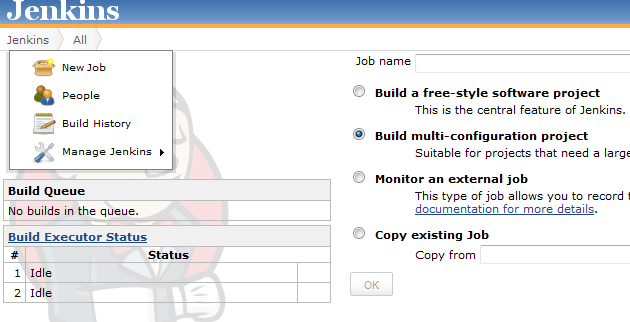
Then I've created a multiconfiguration project
I've done this in order to be able to allow different configurations to be deployed at a later stage. I've not tried this yet though.
Then I've selected the JDK ant Ant version to be used. Important here is;
- specify the base dir in which Ant is executed; base.dir=/home/oracle/Middleware11116buildtool. this makes sure Ant can find the required scripts and of course the build.properties!
- specify the build.xml file; /home/oracle/Middleware11116buildtool/build.xml.
Running
After the task is configured, it can be run. This results in the below
The different Ant tasks which are executed can be navigated to by clicking at the left side of the Console output on the specific task. Also the result is analyzed; in this case of course BUILD SUCCESFUL.
Introduction
'builds' globally consist of several steps (details can differ among different customers)
- selecting what to build. this can be based for example on a tag or status/property of a source in a version control system or a selection of tasks with a specific status (if issue management and version control are linked).
- preparing a workarea / workspace based on the above
- triggering a build (manually or automated by monitoring a version control system)
- archiving the build ('releasing')
This post will have a limited scope since putting the above into place is customer specific and requires some time (a project) to achieve a production ready setup. I will manually trigger a build for a prepared workarea. This can of course be expanded. I've chosen to call Ant from Jenkins. The following post describes how Maven can be used to wrap Ant; http://redstack.wordpress.com/2011/03/15/getting-started-with-continuous-integration-for-soa-projects/. Ant wraps Java classes to achieve deployment. Jenkins has plug-ins to directly call Ant tasks and has easy integration in the GUI (Ant output parsing). I do not see the added benefit of wrapping Ant in Maven.
I've installed Jenkins as described on; https://wiki.jenkins-ci.org/display/JENKINS/Installing+Jenkins+on+Ubuntu
I've chosen for Jenkins instead of Hudson based on http://stackoverflow.com/questions/4973981/how-to-choose-between-hudson-and-jenkins.
The Buildserver installed is an Ubuntu 12.04 server 64 bit installation.
Implementation
I've adapted the scripts used in my previous buildtool post slightly for this purpose. I've used a JDeveloper installation instead of 'manually' copying JAR files. This has the benefit that JDeveloper can easily be upgraded and plugins can more easily be installed using the GUI. This provides a more steady and flexible base for the buildtool then manually copying JAR files.
MDS and adf-config.xml
Also for the purpose of MDS dependencies I've expanded the build.xml file to write an application specific adf-config.xml and copy it to the relevant application directory. The adf-config is copied to the application directory and it contains placeholders; MDS_REPOSITORY and MDS_APPLICATION. These are replaced in the build.xml using;
Copy to application
<mkdir dir="${proj.compositeDir}/${proj.compositeName}/SCA-INF/classes/META-INF"/>
<copy file="${base.dir}/adf-config.xml" tofile="${proj.compositeDir}/${proj.compositeName}/SCA-INF/classes/META-INF/adf-config.xml"/>
Replace placeholders
<replace file="${proj.compositeDir}/${proj.compositeName}/SCA-INF/classes/META-INF/adf-config.xml" token="MDS_REPOSITORY" value="${mds.repository}"/>
<replace file="${proj.compositeDir}/${proj.compositeName}/SCA-INF/classes/META-INF/adf-config.xml" token="MDS_APPLICATION" value="${mds.application}"/>
Buildtool setup
I've installed JDeveloper in /home/oracle/Middleware11116. I've used the standard installer. I did however encounter the following problem when I tried to call the 32 bit JDeveloper installer on a 64 bit OS; http://stackoverflow.com/questions/2716702/no-such-file-or-directory-error-when-executing-a-binary
I've created a buildtool directory /home/oracle/Middleware11116buildtool. In this directory I've created a symlink Middleware to /home/oracle/Middleware11116. The directory structure is as followed;
-rw-rw-r-- 1 oracle oracle 1911 Aug 21 09:40 adf-config.xml
drwxrwxr-x 3 oracle oracle 4096 Aug 23 16:40 build-area
-rw-rw-r-- 1 oracle oracle 83 Aug 25 13:06 build.num
-rw-rw-r-- 1 oracle oracle 925 Aug 25 12:59 build.properties
drwxrwxr-x 16 oracle oracle 4096 Aug 25 13:06 builds
-rw-rw-r-- 1 oracle oracle 21961 Aug 25 10:54 build.xml
-rwxrwxr-x 1 oracle oracle 449 Aug 23 13:32 deployAll
-rw-rw-r-- 1 oracle oracle 407 Aug 14 09:05 deployAll.bat
-rw-rw-r-- 1 oracle oracle 261 Aug 5 18:07 dev.jndi.properties
drwxrwxr-x 2 oracle oracle 4096 Aug 23 13:33 junit
drwxrwxr-x 2 oracle oracle 4096 Aug 23 13:16 lib
drwxrwxr-x 2 oracle oracle 4096 Aug 25 13:06 logs
lrwxrwxrwx 1 oracle oracle 28 Aug 23 13:19 Middleware -> /home/oracle/Middleware11116
You can download the scripts here; http://dl.dropbox.com/u/6693935/blog/buildtoolscriptsincmds.zip
Jenkins setup
After the Jenkins installation I've added the Jenkins user to the oracle group (/etc/group) in order to access the buildtool, Ant, JDK, etc. After having started Jenkins, first I've configured the JDK and Ant;
I've set these to the JDeveloper JDK and Ant
Then I've created a multiconfiguration project
I've done this in order to be able to allow different configurations to be deployed at a later stage. I've not tried this yet though.
Then I've selected the JDK ant Ant version to be used. Important here is;
- specify the base dir in which Ant is executed; base.dir=/home/oracle/Middleware11116buildtool. this makes sure Ant can find the required scripts and of course the build.properties!
- specify the build.xml file; /home/oracle/Middleware11116buildtool/build.xml.
Running
After the task is configured, it can be run. This results in the below
The different Ant tasks which are executed can be navigated to by clicking at the left side of the Console output on the specific task. Also the result is analyzed; in this case of course BUILD SUCCESFUL.
Sunday, August 5, 2012
Standalone Buildtool for deployment of Oracle SOA Suite 11.1.1.6 composites
Introduction
SOA Suite 11g allows deployment to environments from JDeveloper. The people installing software often don't have JDeveloper available or configured correctly. Often there is the requirement to provide a standalone package for installation which can be executed without too much configuration by someone with relatively little knowledge about what he/she is installing.
There have already been numerous posts about build automation for Oracle SOA 11g applications, such as the excellent post from Edwin Biemond; http://biemond.blogspot.nl/2009/09/deploy-soa-suite-11g-composite.html and http://redstack.wordpress.com/2011/03/15/getting-started-with-continuous-integration-for-soa-projects/
In this post I've created a standalone Buildtool for SOA Suite 11.1.1.6. This Buildtool allows compilation and deployment of various SOA artifacts. It is heavily based on http://biemond.blogspot.nl/2009/09/deploy-soa-suite-11g-composite.html however provides some added value such as;
- it's fully based on 11.1.1.6 libraries
- can be used standalone without the need to install JDeveloper or Weblogic Server
- allows applications to be packaged/configured separately and independently
- provides a script to recreate most of the Buildtool from scratch (hopefully making upgrades to the buildtool more easy)
- this buildtool compiles and installs composites. compilation is thus not dependent on the client providing a jar file; the sources can be used as source for the build.
Implementation
Install JDeveloper
Download and install JDeveloper 11.1.1.6. Install the following plugins from http://www.oracle.com/ocom/groups/public/@otn/documents/webcontent/156082.xml
This will be used as the start-point for the Buildtool.
Copy sources
The below DOS batch script copies the required libraries to the TARGETDIR (build tool base directory). The SOURCEDIR is a locally installed JDeveloper 11.1.1.6.
set SOURCEDIR=D:\dev\Middleware11116
set TARGETDIR=D:\dev\buildtool11116
rem buildtool generator 11.1.1.6
rem Maarten Smeets, 2012-08-05
mkdir %TARGETDIR%\logs
mkdir %TARGETDIR%\junit
mkdir %TARGETDIR%\builds
rem wlserver_10.3/server/lib
mkdir %TARGETDIR%\Middleware\wlserver_10.3\server\lib
xcopy /i %SOURCEDIR%\wlserver_10.3\server\lib\*.jar %TARGETDIR%\Middleware\wlserver_10.3\server\lib
rem jdeveloper\ant
mkdir %TARGETDIR%\Middleware\jdeveloper\ant
xcopy /s %SOURCEDIR%\jdeveloper\ant %TARGETDIR%\Middleware\jdeveloper\ant
rem jdeveloper\bin
mkdir %TARGETDIR%\Middleware\jdeveloper\bin
xcopy /s %SOURCEDIR%\jdeveloper\bin %TARGETDIR%\Middleware\jdeveloper\bin
rem jdeveloper\soa\modules
mkdir %TARGETDIR%\Middleware\jdeveloper\soa\modules
xcopy /s %SOURCEDIR%\jdeveloper\soa\modules %TARGETDIR%\Middleware\jdeveloper\soa\modules
rem jdeveloper\uddi
mkdir %TARGETDIR%\Middleware\jdeveloper\uddi
xcopy /s %SOURCEDIR%\jdeveloper\uddi %TARGETDIR%\Middleware\jdeveloper\uddi
rem jdk160_24
rem 11.1.1.4: jdk160_21
mkdir %TARGETDIR%\Middleware\jdk160_24
xcopy /s %SOURCEDIR%\jdk160_24 %TARGETDIR%\Middleware\jdk160_24
rem ant-contrib.jar
mkdir %TARGETDIR%\lib
xcopy %SOURCEDIR%\modules\net.sf.antcontrib_1.1.0.0_1-0b2\lib\* %TARGETDIR%\lib
rem oracle_common\webservices
mkdir %TARGETDIR%\Middleware\oracle_common\webservices
xcopy /s %SOURCEDIR%\oracle_common\webservices %TARGETDIR%\Middleware\oracle_common\webservices
rem oracle_common/modules
mkdir %TARGETDIR%\Middleware\oracle_common\modules\oracle.adf.model_11.1.1
mkdir %TARGETDIR%\Middleware\oracle_common\modules\oracle.adf.share.ca_11.1.1
mkdir %TARGETDIR%\Middleware\oracle_common\modules\oracle.adf.share_11.1.1
mkdir %TARGETDIR%\Middleware\oracle_common\modules\oracle.bali.share_11.1.1
mkdir %TARGETDIR%\Middleware\oracle_common\modules\oracle.dms_11.1.1
mkdir %TARGETDIR%\Middleware\oracle_common\modules\oracle.fabriccommon_11.1.1
mkdir %TARGETDIR%\Middleware\oracle_common\modules\oracle.javacache_11.1.1
mkdir %TARGETDIR%\Middleware\oracle_common\modules\oracle.jmx_11.1.1
mkdir %TARGETDIR%\Middleware\oracle_common\modules\oracle.jps_11.1.1
mkdir %TARGETDIR%\Middleware\oracle_common\modules\oracle.jrf_11.1.1
mkdir %TARGETDIR%\Middleware\oracle_common\modules\oracle.mds_11.1.1
mkdir %TARGETDIR%\Middleware\oracle_common\modules\oracle.nlsrtl_11.1.0
mkdir %TARGETDIR%\Middleware\oracle_common\modules\oracle.odl_11.1.1
mkdir %TARGETDIR%\Middleware\oracle_common\modules\oracle.webservices_11.1.1
mkdir %TARGETDIR%\Middleware\oracle_common\modules\oracle.wsm.common_11.1.1
mkdir %TARGETDIR%\Middleware\oracle_common\modules\oracle.xdk_11.1.0
mkdir %TARGETDIR%\Middleware\oracle_common\modules\oracle.xmlef_11.1.1
mkdir %TARGETDIR%\Middleware\oracle_common\modules\datadirect_4.1
xcopy /s %SOURCEDIR%\oracle_common\modules\oracle.adf.model_11.1.1 %TARGETDIR%\Middleware\oracle_common\modules\oracle.adf.model_11.1.1
xcopy /s %SOURCEDIR%\oracle_common\modules\oracle.adf.share.ca_11.1.1 %TARGETDIR%\Middleware\oracle_common\modules\oracle.adf.share.ca_11.1.1
xcopy /s %SOURCEDIR%\oracle_common\modules\oracle.adf.share_11.1.1 %TARGETDIR%\Middleware\oracle_common\modules\oracle.adf.share_11.1.1
xcopy /s %SOURCEDIR%\oracle_common\modules\oracle.bali.share_11.1.1 %TARGETDIR%\Middleware\oracle_common\modules\oracle.bali.share_11.1.1
xcopy /s %SOURCEDIR%\oracle_common\modules\oracle.dms_11.1.1 %TARGETDIR%\Middleware\oracle_common\modules\oracle.dms_11.1.1
xcopy /s %SOURCEDIR%\oracle_common\modules\oracle.fabriccommon_11.1.1 %TARGETDIR%\Middleware\oracle_common\modules\oracle.fabriccommon_11.1.1
xcopy /s %SOURCEDIR%\oracle_common\modules\oracle.javacache_11.1.1 %TARGETDIR%\Middleware\oracle_common\modules\oracle.javacache_11.1.1
xcopy /s %SOURCEDIR%\oracle_common\modules\oracle.jmx_11.1.1 %TARGETDIR%\Middleware\oracle_common\modules\oracle.jmx_11.1.1
xcopy /s %SOURCEDIR%\oracle_common\modules\oracle.jps_11.1.1 %TARGETDIR%\Middleware\oracle_common\modules\oracle.jps_11.1.1
xcopy /s %SOURCEDIR%\oracle_common\modules\oracle.jrf_11.1.1 %TARGETDIR%\Middleware\oracle_common\modules\oracle.jrf_11.1.1
xcopy /s %SOURCEDIR%\oracle_common\modules\oracle.mds_11.1.1 %TARGETDIR%\Middleware\oracle_common\modules\oracle.mds_11.1.1
xcopy /s %SOURCEDIR%\oracle_common\modules\oracle.nlsrtl_11.1.0 %TARGETDIR%\Middleware\oracle_common\modules\oracle.nlsrtl_11.1.0
xcopy /s %SOURCEDIR%\oracle_common\modules\oracle.odl_11.1.1 %TARGETDIR%\Middleware\oracle_common\modules\oracle.odl_11.1.1
xcopy /s %SOURCEDIR%\oracle_common\modules\oracle.webservices_11.1.1 %TARGETDIR%\Middleware\oracle_common\modules\oracle.webservices_11.1.1
xcopy /s %SOURCEDIR%\oracle_common\modules\oracle.wsm.common_11.1.1 %TARGETDIR%\Middleware\oracle_common\modules\oracle.wsm.common_11.1.1
xcopy /s %SOURCEDIR%\oracle_common\modules\oracle.xdk_11.1.0 %TARGETDIR%\Middleware\oracle_common\modules\oracle.xdk_11.1.0
xcopy /s %SOURCEDIR%\oracle_common\modules\datadirect_4.1 %TARGETDIR%\Middleware\oracle_common\modules\datadirect_4.1
xcopy /i %SOURCEDIR%\oracle_common\modules\oracle.ucp_11.1.0.jar %TARGETDIR%\Middleware\oracle_common\modules
xcopy /i %SOURCEDIR%\oracle_common\modules\org.apache.commons.beanutils_1.6.jar %TARGETDIR%\Middleware\oracle_common\modules
xcopy /i %SOURCEDIR%\oracle_common\modules\org.apache.commons.digester_1.8.jar %TARGETDIR%\Middleware\oracle_common\modules
xcopy /i %SOURCEDIR%\oracle_common\modules\org.apache.commons.logging_1.0.4.jar %TARGETDIR%\Middleware\oracle_common\modules
xcopy /i %SOURCEDIR%\oracle_common\modules\org.springframework_2.5.jar %TARGETDIR%\Middleware\oracle_common\modules
xcopy /i %SOURCEDIR%\oracle_common\modules\oracle.classloader_11.1.1.jar %TARGETDIR%\Middleware\oracle_common\modules
xcopy /i %SOURCEDIR%\oracle_common\modules\oracle.http_client_11.1.1.jar %TARGETDIR%\Middleware\oracle_common\modules
xcopy /i %SOURCEDIR%\oracle_common\modules\oracle.logging-utils_11.1.1.jar %TARGETDIR%\Middleware\oracle_common\modules
xcopy /i %SOURCEDIR%\oracle_common\modules\commonj.sdo_2.1.0.jar %TARGETDIR%\Middleware\oracle_common\modules
xcopy /i %SOURCEDIR%\oracle_common\modules\com.bea.core.xml.xmlbeans_2.1.0.0_2-5-1.jar %TARGETDIR%\Middleware\oracle_common\modules
xcopy /i %SOURCEDIR%\oracle_common\modules\com.bea.core.weblogic.security.identity_1.1.2.1.jar %TARGETDIR%\Middleware\oracle_common\modules
rem modules
mkdir %TARGETDIR%\Middleware\modules
xcopy /i %SOURCEDIR%\modules\com.bea.core.apache.commons.collections_3.2.0.jar %TARGETDIR%\Middleware\modules
xcopy /i %SOURCEDIR%\modules\com.bea.core.apache.commons.lang_2.1.0.jar %TARGETDIR%\Middleware\modules
rem 11.1.1.4
rem xcopy /i %SOURCEDIR%\modules\com.bea.core.weblogic.workmanager_1.9.0.0.jar %TARGETDIR%\Middleware\modules
xcopy /i %SOURCEDIR%\modules\com.bea.core.weblogic.workmanager_1.10.0.0.jar %TARGETDIR%\Middleware\modules
rem 11.1.1.4
rem xcopy /i %SOURCEDIR%\modules\com.bea.core.xml.beaxmlbeans_2.2.0.0_2-5-1.jar %TARGETDIR%\Middleware\modules
xcopy /i %SOURCEDIR%\modules\com.bea.core.xml.beaxmlbeans_2.3.0.0_2-5-1.jar %TARGETDIR%\Middleware\modules
xcopy /i %SOURCEDIR%\modules\commonj.sdo_1.0.0.0_1-0.jar %TARGETDIR%\Middleware\modules
xcopy /i %SOURCEDIR%\modules\glassfish.jaxb_1.0.0.0_2-1-12.jar %TARGETDIR%\Middleware\modules
xcopy /i %SOURCEDIR%\modules\javax.management.j2ee_1.0.jar %TARGETDIR%\Middleware\modules
xcopy /i %SOURCEDIR%\modules\javax.xml.rpc_1.2.1.jar %TARGETDIR%\Middleware\modules
rem 11.1.1.4
rem xcopy /i %SOURCEDIR%\modules\org.eclipse.persistence_1.0.0.0_2-1.jar %TARGETDIR%\Middleware\modules
xcopy /i %SOURCEDIR%\modules\org.eclipse.persistence_1.1.0.0_2-1.jar %TARGETDIR%\Middleware\modules
Some script files were taken from https://github.com/biemond/soa_tools/tree/master/ant and updated. The updated scriptfiles can be downloaded here; https://dl.dropbox.com/u/6693935/blog/buildtool11116scriptfiles.zip
Usage
In my case, the buildtool base dir is; D:\dev\buildtool11116. Here you can create a directory build-area (as specified in the build.properties file). In this directory you can create a structure like for example; https://dl.dropbox.com/u/6693935/blog/build-area.zip
The structure contains an example project, a deployment profile and configuration files. This is what the developer has to provide. The person installing the software has to update the following files;
- update deployAll.bat to reflect the correct locations (once)
- update build.properties to reflect the environment which is used (it is recommended the installer keeps per environment a separate build.properties file)
When deployAll.bat is executed, log files are generated in the logs directory and the deployed applications are put in the builds directory.
The build.xml is capable of calling unit tests, but since I got the following error which I couldn't fix quickly enough;
[scatest] java.lang.NoClassDefFoundError: weblogic/security/subject/AbstractSubject
and
D:\dev\buildtool11116\Middleware\jdeveloper\bin\ant-sca-test.xml:111: Problem executing test cases
weblogic/security/subject/AbstractSubject
I've decided to put this functionality in comments and maybe look at it later. wlclient.jar contains this class and it should be in the classpath.
The example build-area provides a simple deployment of a SCA composite. The supplied build.xml provides functionality for MDS deployments and partitions (Edwin Biemond has described this functionality on his blog site). Some minor changes to the script might be needed to make sure deployment of the MDS is from the build-area folder so developers can more easily provide the required files. You can download the entire 11.1.1.6 buildtool here; https://dl.dropbox.com/u/6693935/blog/buildtool11116.zip.
SOA Suite 11g allows deployment to environments from JDeveloper. The people installing software often don't have JDeveloper available or configured correctly. Often there is the requirement to provide a standalone package for installation which can be executed without too much configuration by someone with relatively little knowledge about what he/she is installing.
There have already been numerous posts about build automation for Oracle SOA 11g applications, such as the excellent post from Edwin Biemond; http://biemond.blogspot.nl/2009/09/deploy-soa-suite-11g-composite.html and http://redstack.wordpress.com/2011/03/15/getting-started-with-continuous-integration-for-soa-projects/
In this post I've created a standalone Buildtool for SOA Suite 11.1.1.6. This Buildtool allows compilation and deployment of various SOA artifacts. It is heavily based on http://biemond.blogspot.nl/2009/09/deploy-soa-suite-11g-composite.html however provides some added value such as;
- it's fully based on 11.1.1.6 libraries
- can be used standalone without the need to install JDeveloper or Weblogic Server
- allows applications to be packaged/configured separately and independently
- provides a script to recreate most of the Buildtool from scratch (hopefully making upgrades to the buildtool more easy)
- this buildtool compiles and installs composites. compilation is thus not dependent on the client providing a jar file; the sources can be used as source for the build.
Implementation
Install JDeveloper
Download and install JDeveloper 11.1.1.6. Install the following plugins from http://www.oracle.com/ocom/groups/public/@otn/documents/webcontent/156082.xml
-
Oracle BPM Studio 11g
-
Oracle SOA Composite Editor
This will be used as the start-point for the Buildtool.
Copy sources
The below DOS batch script copies the required libraries to the TARGETDIR (build tool base directory). The SOURCEDIR is a locally installed JDeveloper 11.1.1.6.
set SOURCEDIR=D:\dev\Middleware11116
set TARGETDIR=D:\dev\buildtool11116
rem buildtool generator 11.1.1.6
rem Maarten Smeets, 2012-08-05
mkdir %TARGETDIR%\logs
mkdir %TARGETDIR%\junit
mkdir %TARGETDIR%\builds
rem wlserver_10.3/server/lib
mkdir %TARGETDIR%\Middleware\wlserver_10.3\server\lib
xcopy /i %SOURCEDIR%\wlserver_10.3\server\lib\*.jar %TARGETDIR%\Middleware\wlserver_10.3\server\lib
rem jdeveloper\ant
mkdir %TARGETDIR%\Middleware\jdeveloper\ant
xcopy /s %SOURCEDIR%\jdeveloper\ant %TARGETDIR%\Middleware\jdeveloper\ant
rem jdeveloper\bin
mkdir %TARGETDIR%\Middleware\jdeveloper\bin
xcopy /s %SOURCEDIR%\jdeveloper\bin %TARGETDIR%\Middleware\jdeveloper\bin
rem jdeveloper\soa\modules
mkdir %TARGETDIR%\Middleware\jdeveloper\soa\modules
xcopy /s %SOURCEDIR%\jdeveloper\soa\modules %TARGETDIR%\Middleware\jdeveloper\soa\modules
rem jdeveloper\uddi
mkdir %TARGETDIR%\Middleware\jdeveloper\uddi
xcopy /s %SOURCEDIR%\jdeveloper\uddi %TARGETDIR%\Middleware\jdeveloper\uddi
rem jdk160_24
rem 11.1.1.4: jdk160_21
mkdir %TARGETDIR%\Middleware\jdk160_24
xcopy /s %SOURCEDIR%\jdk160_24 %TARGETDIR%\Middleware\jdk160_24
rem ant-contrib.jar
mkdir %TARGETDIR%\lib
xcopy %SOURCEDIR%\modules\net.sf.antcontrib_1.1.0.0_1-0b2\lib\* %TARGETDIR%\lib
rem oracle_common\webservices
mkdir %TARGETDIR%\Middleware\oracle_common\webservices
xcopy /s %SOURCEDIR%\oracle_common\webservices %TARGETDIR%\Middleware\oracle_common\webservices
rem oracle_common/modules
mkdir %TARGETDIR%\Middleware\oracle_common\modules\oracle.adf.model_11.1.1
mkdir %TARGETDIR%\Middleware\oracle_common\modules\oracle.adf.share.ca_11.1.1
mkdir %TARGETDIR%\Middleware\oracle_common\modules\oracle.adf.share_11.1.1
mkdir %TARGETDIR%\Middleware\oracle_common\modules\oracle.bali.share_11.1.1
mkdir %TARGETDIR%\Middleware\oracle_common\modules\oracle.dms_11.1.1
mkdir %TARGETDIR%\Middleware\oracle_common\modules\oracle.fabriccommon_11.1.1
mkdir %TARGETDIR%\Middleware\oracle_common\modules\oracle.javacache_11.1.1
mkdir %TARGETDIR%\Middleware\oracle_common\modules\oracle.jmx_11.1.1
mkdir %TARGETDIR%\Middleware\oracle_common\modules\oracle.jps_11.1.1
mkdir %TARGETDIR%\Middleware\oracle_common\modules\oracle.jrf_11.1.1
mkdir %TARGETDIR%\Middleware\oracle_common\modules\oracle.mds_11.1.1
mkdir %TARGETDIR%\Middleware\oracle_common\modules\oracle.nlsrtl_11.1.0
mkdir %TARGETDIR%\Middleware\oracle_common\modules\oracle.odl_11.1.1
mkdir %TARGETDIR%\Middleware\oracle_common\modules\oracle.webservices_11.1.1
mkdir %TARGETDIR%\Middleware\oracle_common\modules\oracle.wsm.common_11.1.1
mkdir %TARGETDIR%\Middleware\oracle_common\modules\oracle.xdk_11.1.0
mkdir %TARGETDIR%\Middleware\oracle_common\modules\oracle.xmlef_11.1.1
mkdir %TARGETDIR%\Middleware\oracle_common\modules\datadirect_4.1
xcopy /s %SOURCEDIR%\oracle_common\modules\oracle.adf.model_11.1.1 %TARGETDIR%\Middleware\oracle_common\modules\oracle.adf.model_11.1.1
xcopy /s %SOURCEDIR%\oracle_common\modules\oracle.adf.share.ca_11.1.1 %TARGETDIR%\Middleware\oracle_common\modules\oracle.adf.share.ca_11.1.1
xcopy /s %SOURCEDIR%\oracle_common\modules\oracle.adf.share_11.1.1 %TARGETDIR%\Middleware\oracle_common\modules\oracle.adf.share_11.1.1
xcopy /s %SOURCEDIR%\oracle_common\modules\oracle.bali.share_11.1.1 %TARGETDIR%\Middleware\oracle_common\modules\oracle.bali.share_11.1.1
xcopy /s %SOURCEDIR%\oracle_common\modules\oracle.dms_11.1.1 %TARGETDIR%\Middleware\oracle_common\modules\oracle.dms_11.1.1
xcopy /s %SOURCEDIR%\oracle_common\modules\oracle.fabriccommon_11.1.1 %TARGETDIR%\Middleware\oracle_common\modules\oracle.fabriccommon_11.1.1
xcopy /s %SOURCEDIR%\oracle_common\modules\oracle.javacache_11.1.1 %TARGETDIR%\Middleware\oracle_common\modules\oracle.javacache_11.1.1
xcopy /s %SOURCEDIR%\oracle_common\modules\oracle.jmx_11.1.1 %TARGETDIR%\Middleware\oracle_common\modules\oracle.jmx_11.1.1
xcopy /s %SOURCEDIR%\oracle_common\modules\oracle.jps_11.1.1 %TARGETDIR%\Middleware\oracle_common\modules\oracle.jps_11.1.1
xcopy /s %SOURCEDIR%\oracle_common\modules\oracle.jrf_11.1.1 %TARGETDIR%\Middleware\oracle_common\modules\oracle.jrf_11.1.1
xcopy /s %SOURCEDIR%\oracle_common\modules\oracle.mds_11.1.1 %TARGETDIR%\Middleware\oracle_common\modules\oracle.mds_11.1.1
xcopy /s %SOURCEDIR%\oracle_common\modules\oracle.nlsrtl_11.1.0 %TARGETDIR%\Middleware\oracle_common\modules\oracle.nlsrtl_11.1.0
xcopy /s %SOURCEDIR%\oracle_common\modules\oracle.odl_11.1.1 %TARGETDIR%\Middleware\oracle_common\modules\oracle.odl_11.1.1
xcopy /s %SOURCEDIR%\oracle_common\modules\oracle.webservices_11.1.1 %TARGETDIR%\Middleware\oracle_common\modules\oracle.webservices_11.1.1
xcopy /s %SOURCEDIR%\oracle_common\modules\oracle.wsm.common_11.1.1 %TARGETDIR%\Middleware\oracle_common\modules\oracle.wsm.common_11.1.1
xcopy /s %SOURCEDIR%\oracle_common\modules\oracle.xdk_11.1.0 %TARGETDIR%\Middleware\oracle_common\modules\oracle.xdk_11.1.0
xcopy /s %SOURCEDIR%\oracle_common\modules\datadirect_4.1 %TARGETDIR%\Middleware\oracle_common\modules\datadirect_4.1
xcopy /i %SOURCEDIR%\oracle_common\modules\oracle.ucp_11.1.0.jar %TARGETDIR%\Middleware\oracle_common\modules
xcopy /i %SOURCEDIR%\oracle_common\modules\org.apache.commons.beanutils_1.6.jar %TARGETDIR%\Middleware\oracle_common\modules
xcopy /i %SOURCEDIR%\oracle_common\modules\org.apache.commons.digester_1.8.jar %TARGETDIR%\Middleware\oracle_common\modules
xcopy /i %SOURCEDIR%\oracle_common\modules\org.apache.commons.logging_1.0.4.jar %TARGETDIR%\Middleware\oracle_common\modules
xcopy /i %SOURCEDIR%\oracle_common\modules\org.springframework_2.5.jar %TARGETDIR%\Middleware\oracle_common\modules
xcopy /i %SOURCEDIR%\oracle_common\modules\oracle.classloader_11.1.1.jar %TARGETDIR%\Middleware\oracle_common\modules
xcopy /i %SOURCEDIR%\oracle_common\modules\oracle.http_client_11.1.1.jar %TARGETDIR%\Middleware\oracle_common\modules
xcopy /i %SOURCEDIR%\oracle_common\modules\oracle.logging-utils_11.1.1.jar %TARGETDIR%\Middleware\oracle_common\modules
xcopy /i %SOURCEDIR%\oracle_common\modules\commonj.sdo_2.1.0.jar %TARGETDIR%\Middleware\oracle_common\modules
xcopy /i %SOURCEDIR%\oracle_common\modules\com.bea.core.xml.xmlbeans_2.1.0.0_2-5-1.jar %TARGETDIR%\Middleware\oracle_common\modules
xcopy /i %SOURCEDIR%\oracle_common\modules\com.bea.core.weblogic.security.identity_1.1.2.1.jar %TARGETDIR%\Middleware\oracle_common\modules
rem modules
mkdir %TARGETDIR%\Middleware\modules
xcopy /i %SOURCEDIR%\modules\com.bea.core.apache.commons.collections_3.2.0.jar %TARGETDIR%\Middleware\modules
xcopy /i %SOURCEDIR%\modules\com.bea.core.apache.commons.lang_2.1.0.jar %TARGETDIR%\Middleware\modules
rem 11.1.1.4
rem xcopy /i %SOURCEDIR%\modules\com.bea.core.weblogic.workmanager_1.9.0.0.jar %TARGETDIR%\Middleware\modules
xcopy /i %SOURCEDIR%\modules\com.bea.core.weblogic.workmanager_1.10.0.0.jar %TARGETDIR%\Middleware\modules
rem 11.1.1.4
rem xcopy /i %SOURCEDIR%\modules\com.bea.core.xml.beaxmlbeans_2.2.0.0_2-5-1.jar %TARGETDIR%\Middleware\modules
xcopy /i %SOURCEDIR%\modules\com.bea.core.xml.beaxmlbeans_2.3.0.0_2-5-1.jar %TARGETDIR%\Middleware\modules
xcopy /i %SOURCEDIR%\modules\commonj.sdo_1.0.0.0_1-0.jar %TARGETDIR%\Middleware\modules
xcopy /i %SOURCEDIR%\modules\glassfish.jaxb_1.0.0.0_2-1-12.jar %TARGETDIR%\Middleware\modules
xcopy /i %SOURCEDIR%\modules\javax.management.j2ee_1.0.jar %TARGETDIR%\Middleware\modules
xcopy /i %SOURCEDIR%\modules\javax.xml.rpc_1.2.1.jar %TARGETDIR%\Middleware\modules
rem 11.1.1.4
rem xcopy /i %SOURCEDIR%\modules\org.eclipse.persistence_1.0.0.0_2-1.jar %TARGETDIR%\Middleware\modules
xcopy /i %SOURCEDIR%\modules\org.eclipse.persistence_1.1.0.0_2-1.jar %TARGETDIR%\Middleware\modules
Some script files were taken from https://github.com/biemond/soa_tools/tree/master/ant and updated. The updated scriptfiles can be downloaded here; https://dl.dropbox.com/u/6693935/blog/buildtool11116scriptfiles.zip
Usage
In my case, the buildtool base dir is; D:\dev\buildtool11116. Here you can create a directory build-area (as specified in the build.properties file). In this directory you can create a structure like for example; https://dl.dropbox.com/u/6693935/blog/build-area.zip
The structure contains an example project, a deployment profile and configuration files. This is what the developer has to provide. The person installing the software has to update the following files;
- update deployAll.bat to reflect the correct locations (once)
- update build.properties to reflect the environment which is used (it is recommended the installer keeps per environment a separate build.properties file)
When deployAll.bat is executed, log files are generated in the logs directory and the deployed applications are put in the builds directory.
The build.xml is capable of calling unit tests, but since I got the following error which I couldn't fix quickly enough;
[scatest] java.lang.NoClassDefFoundError: weblogic/security/subject/AbstractSubject
and
D:\dev\buildtool11116\Middleware\jdeveloper\bin\ant-sca-test.xml:111: Problem executing test cases
weblogic/security/subject/AbstractSubject
I've decided to put this functionality in comments and maybe look at it later. wlclient.jar contains this class and it should be in the classpath.
The example build-area provides a simple deployment of a SCA composite. The supplied build.xml provides functionality for MDS deployments and partitions (Edwin Biemond has described this functionality on his blog site). Some minor changes to the script might be needed to make sure deployment of the MDS is from the build-area folder so developers can more easily provide the required files. You can download the entire 11.1.1.6 buildtool here; https://dl.dropbox.com/u/6693935/blog/buildtool11116.zip.
Labels:
11.1.1.6,
ant,
automate build,
buildtool,
deployment,
mds,
sca
Thursday, February 23, 2012
Using the MDS
One of the nice new features of Oracle SOA Suite 11g is the MDS (Metadata Services). The MDS is a unified store for metadata. When for example a BPEL process is deployed, it's put in the MDS. This store can also be used among other things to share common artifacts such as XSD's, EDL (Event Definition Language) and WSDL files. The MDS provides a more secure, better maintainable alternative to putting these artifacts on (for example) a webserver. JDeveloper also supports browsing the MDS directly and the MDS can be imported and exported from the Enterprise Manager.
Updating the MDS however on a per application basis, can not be done directly from JDeveloper without some additional scripts.
Because Ant scripts to make working with the MDS easier, are already available, I will not repeat those sources and just point out what I needed to do to make those examples work with my installation of JDeveloper 11.1.1.5. Edwin Biemond has provided a base script on http://biemond.blogspot.com/2009/11/soa-suite-11g-mds-deploy-and-removal.html. A tutorial describing an implementation of scripts similar to the base example, can be found on; http://technology.amis.nl/blog/15295/using-the-metadata-services-in-a-soa-environment-part-1
To make the script from the tutorial work from JDeveloper I had to do two things;
- download ant-contrib-1.0b3.jar from http://sourceforge.net/projects/ant-contrib/files/
- create a libs directory and add the folowing lines to the build.xml file;
<taskdef resource="net/sf/antcontrib/antcontrib.properties">
<classpath>
<pathelement location="../libs/ant-contrib-1.0b3.jar" />
</classpath>
</taskdef>
For reference you can download my test project. I've removed the servername, user, password in the env.dev.properties. http://dl.dropbox.com/u/6693935/mds-store.zip
Updating the MDS however on a per application basis, can not be done directly from JDeveloper without some additional scripts.
Because Ant scripts to make working with the MDS easier, are already available, I will not repeat those sources and just point out what I needed to do to make those examples work with my installation of JDeveloper 11.1.1.5. Edwin Biemond has provided a base script on http://biemond.blogspot.com/2009/11/soa-suite-11g-mds-deploy-and-removal.html. A tutorial describing an implementation of scripts similar to the base example, can be found on; http://technology.amis.nl/blog/15295/using-the-metadata-services-in-a-soa-environment-part-1
To make the script from the tutorial work from JDeveloper I had to do two things;
- download ant-contrib-1.0b3.jar from http://sourceforge.net/projects/ant-contrib/files/
- create a libs directory and add the folowing lines to the build.xml file;
<taskdef resource="net/sf/antcontrib/antcontrib.properties">
<classpath>
<pathelement location="../libs/ant-contrib-1.0b3.jar" />
</classpath>
</taskdef>
For reference you can download my test project. I've removed the servername, user, password in the env.dev.properties. http://dl.dropbox.com/u/6693935/mds-store.zip
Subscribe to:
Posts (Atom)