Showing posts with label docker-compose. Show all posts

Friday, December 24, 2021

Vagrant + Docker Compose: A quick and easy Apache NiFi development environment

Vagrant can be used to quickly create development environments in for example VirtualBox, VMWare or Hyper-V. I decided to use Vagrant to create a quick Apache NiFi development environment. For Apache NiFi development, you also often require input/output for which Kafka can be used, the NiFi Registry to manage shared resources and of course NiFi itself. Setting this up yourself can be cumbersome. That's why I've created some scripts to help you do this quickly. You can find them here. 

Since manually scripting the installations of all these products can be a challenge / work, I decided to use Docker images which often already provide an automatic installation (so I don't have to do that myself) and used Docker Compose to easily allow the containers to find each other and have a docker-compose.yml which contained my environment variables so I wouldn't have to supply them on the commandline.

Monday, July 27, 2020

Scanning container images for vulnerabilities using Anchore Engine

Applications nowadays, are usually deployed inside containers. A container consists of libraries and tools which allow the application to run inside. Since there can be exploitable vulnerabilities, it is not only important to keep your application up to date but also the container it runs in. There are various tools available to scan container images for those vulnerabilities. Having little experience with them, but recognizing the importance of having such a tool, I decided to give Anchore Engine a try. Why? Because it appeared popular when looking for tools, it has an open source variant which I can appreciate and it was very easy to get started with. In addition, it provides several integration options which make using it easy, such as a Jenkins plugin and a Kubernetes Admission Controller.


Thursday, January 2, 2020

pgAdmin in Docker: Provisioning connections and passwords

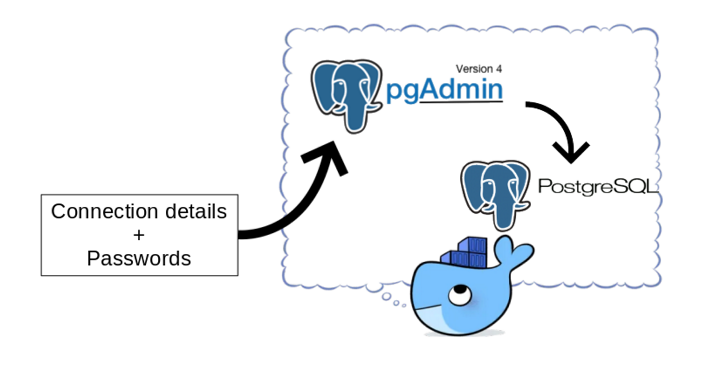
pgAdmin is a popular open source and feature rich administration and development platform for PostgreSQL. When provisioning Postgres database environments using containers, it is not unusual to also provision a pgAdmin container.

The pgAdmin image provided on Docker Hub does not contain any server connection details. When your pgAdmin container changes regularly (think about changes to database connection details and keeping pgAdmin up to date), you might not want to enter the connections and passwords manually every time. This is especially true if you use a single pgAdmin instance to connect to many databases. A manual step also prevents a fully automated build process for the pgAdmin container.

You can export/import connection information, but you cannot export passwords. It is a bother, especially in development environments where the security aspect is less important, to lookup passwords every time you need them. How to fix this and make your life a little bit easier?

In this blog I'll show how to create a simple script to automate creating connections and supply password information so the pgAdmin instance is ready for use when you login to the console for the first time! This consists of provisioning the connections and provisioning the password files. You can find the files here.

Saturday, March 23, 2019

6 tips to make your life with Vagrant even better!

HashiCorp Vagrant is a great tool to quickly get up and running with a development environment. In this blog post I'll give some tips to make your life with Vagrant even better! You can find an example which uses these tips here.

Friday, November 23, 2018

Comparing JVM performance; Zulu, OpenJDK, Oracle JDK, GraalVM CE

There are many different choices for a JVM for your Java application. Which would be the best to use? This depends on various factors. Performance being an important one. Solid performance research however is difficult. In this blog post I'll describe a setup I created to perform tests on different JVMs at the same time and show some interesting results! I also looked at the effect of resource isolation (assigning specific CPUs and memory to the process). This effect was negligible. My test application consisted of a reactive (non-blocking) Spring Boot REST application and I've used Prometheus to poll the JVMs and Grafana for visualization.

Below is an image of the used setup. Everything was running in Docker containers except SoapUI.

Thursday, November 1, 2018

Monitoring Spring Boot applications with Prometheus and Grafana

In order to compare the performance of different JDKs for reactive Spring Boot services, I made a setup in which a Spring Boot application is wrapped in a Docker container. This makes it easy to create different containers for different JDK's with the same Spring Boot application running in it. The Spring Boot application exposes metrics to Prometheus. Grafana can read these metrics and allows to make nice visualizations from it. This blog post describes the setup. A next post will show the results. You can download the code here (in the complete folder). To indicate how easy this is, getting this setup up and running and write this blog post took me less than 1.5 hours total. I did not have much prior knowledge on Prometheus and Grafana save for a single workshop at AMIS by Lucas Jellema.